Using the Flex 5000
22 | Flex 5000
Adjusting the balance
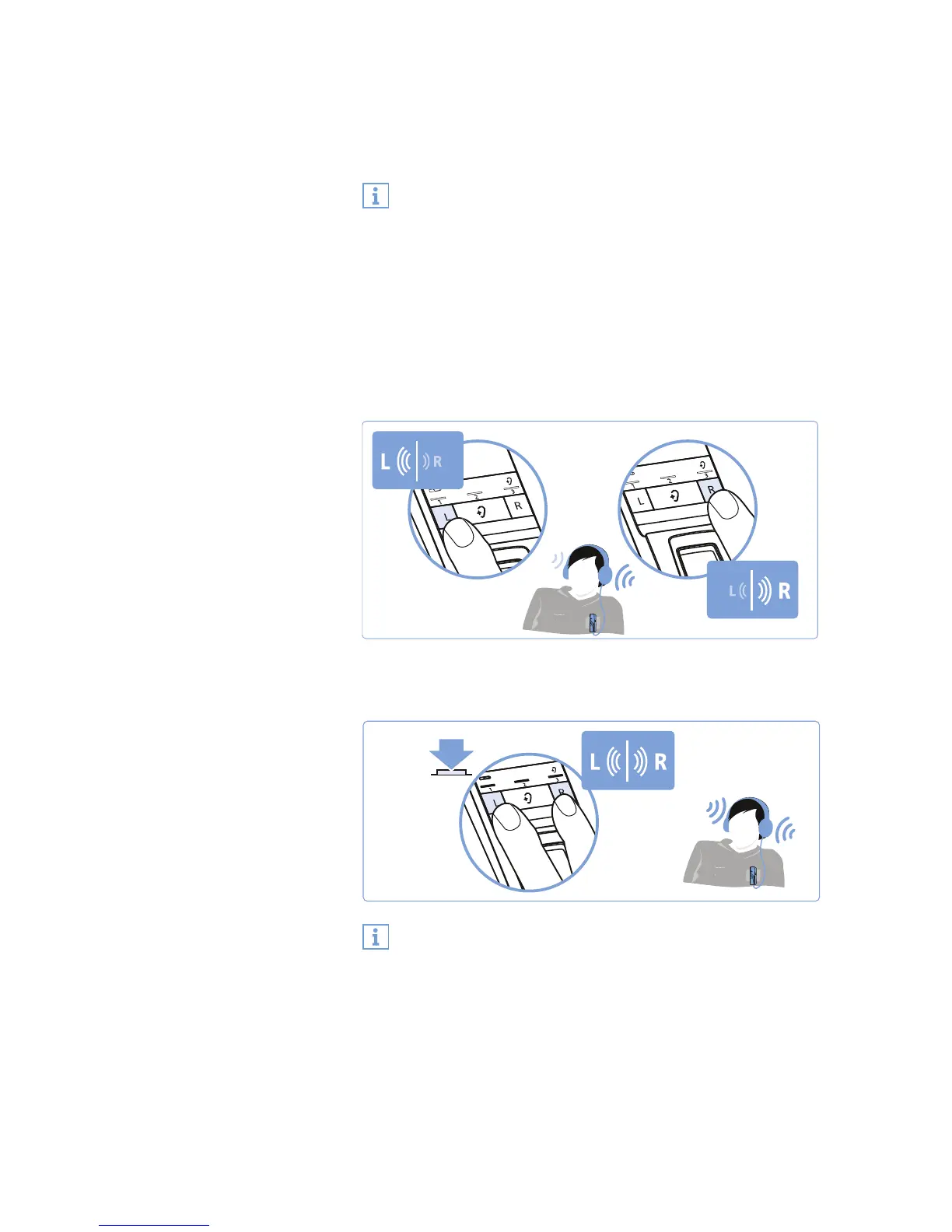
The balance buttons allow for left/right volume adjustment. Adjust
the balance so that you hear equally well with both ears.
왘 Press the balance button R (right) or L (left) on the transmitter
to gradually increase or reduce the volume for your right or left
ear.
When the minimum or maximum balance setting is reached, you
hear a beep via the receiver.
To reset the balance setting to the middle setting:
왘 Simultaneously press the balance buttons R (right) and L (left)
on the transmitter for 3 seconds.
The balance setting is stored on the receiver. If you are using
several receivers with a transmitter, the respective receivers
are optimally adjusted to match the personal hearing prefer-
ences of the users (e.g. you and your partner).
Please note that the personal hearing preferences can only be
adjusted when only receiver is connected to the transmitter.
To prevent accidental adjustment of the balance settings, you
can activate the balance protection (see page 30).
3s










 To Next Page