SENNHEISER ELECTRONIC GMBH & CO. KG
COMPONENT MAINTENANCE MANUAL
HMEC 26-SERIES
Page 7002
May 25/11
23-41-48
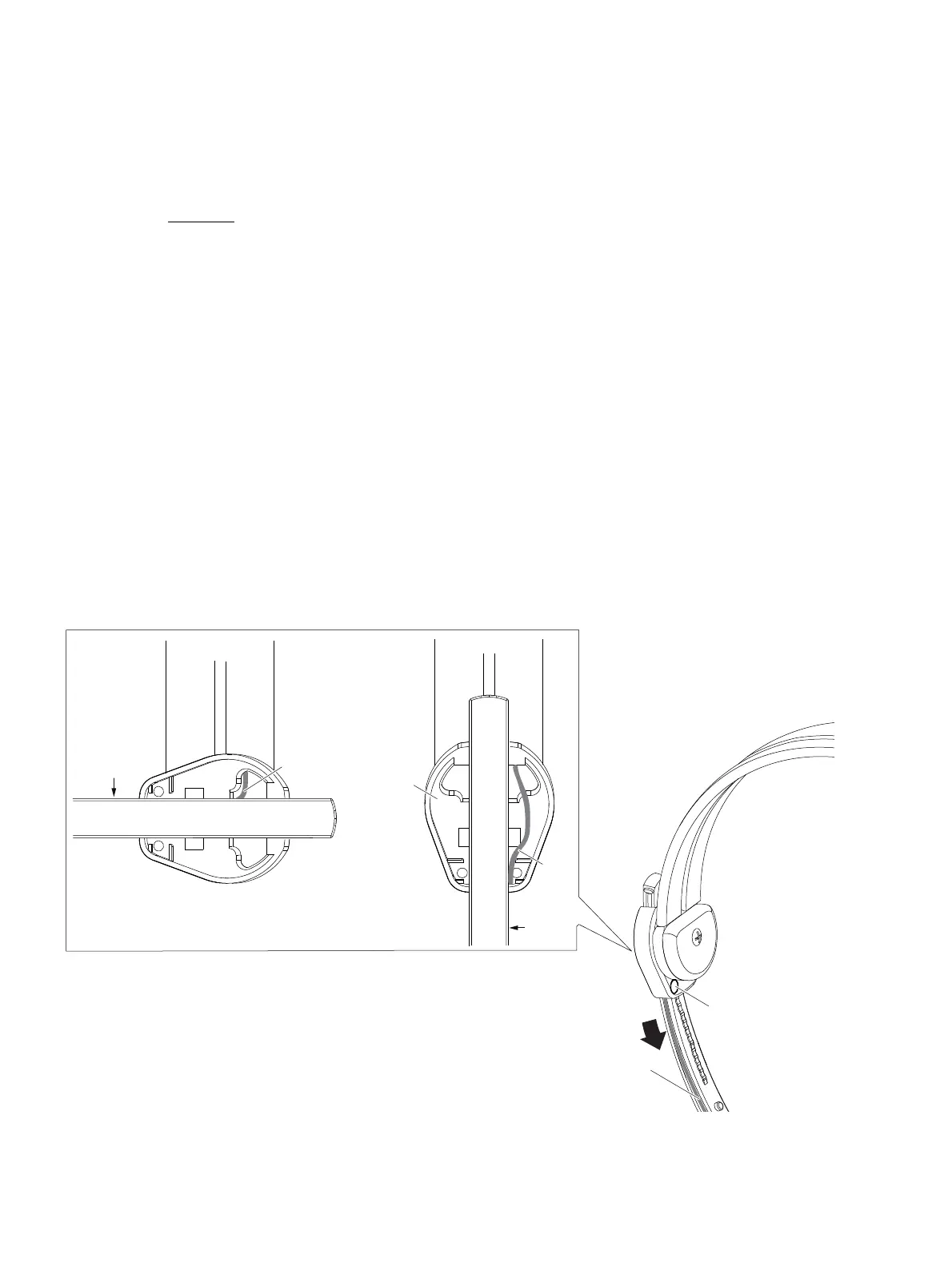
(a) Put the end piece of the headband (010) into the end piece holder (see figure below).
(b) Completely move down the end piece of the headband (010) to the round/oval end
piece stopper.
CAUTION:
DO NOT INSTALL THE HEADBAND CABLE WITH A SHARPEN SCREWDRIVER. YOU
CAN DAMAGE THE HEADBAND CABLE. USE ONLY ROUNDED/STUB TOOLS.
(c) For the microphone side press the headband cable completely into the headband channel
of the end piece (010). Install the headband cable as shown below.
For the not microphone side first turn the end piece holder to the left side. Then press the
headband cable completely into the headband channel of the end piece (010). Install the
headband cable as shown below and recognize that the cable routing is on the left side/
cable channel side.
(d) Snap in the cover.
(e) Carefully pull the end of the headband cable to prevent wavy cable routings.
(f) Fasten the 2 screws.
(g) Check the correct movement of the end piece (010):
Move the end piece of the headband up and down. Ensure that the headband cable is
completely inserted in the cable channel.
Cable channel
of the end piece
Screw
Microphone side
Cable
End piece
holder
Not microphone side
Headband
Cable
End piece
Cable channel
Cable
channel
Oct 30/08








 To Next Page