Using the operating menu
18
Using the operating menu
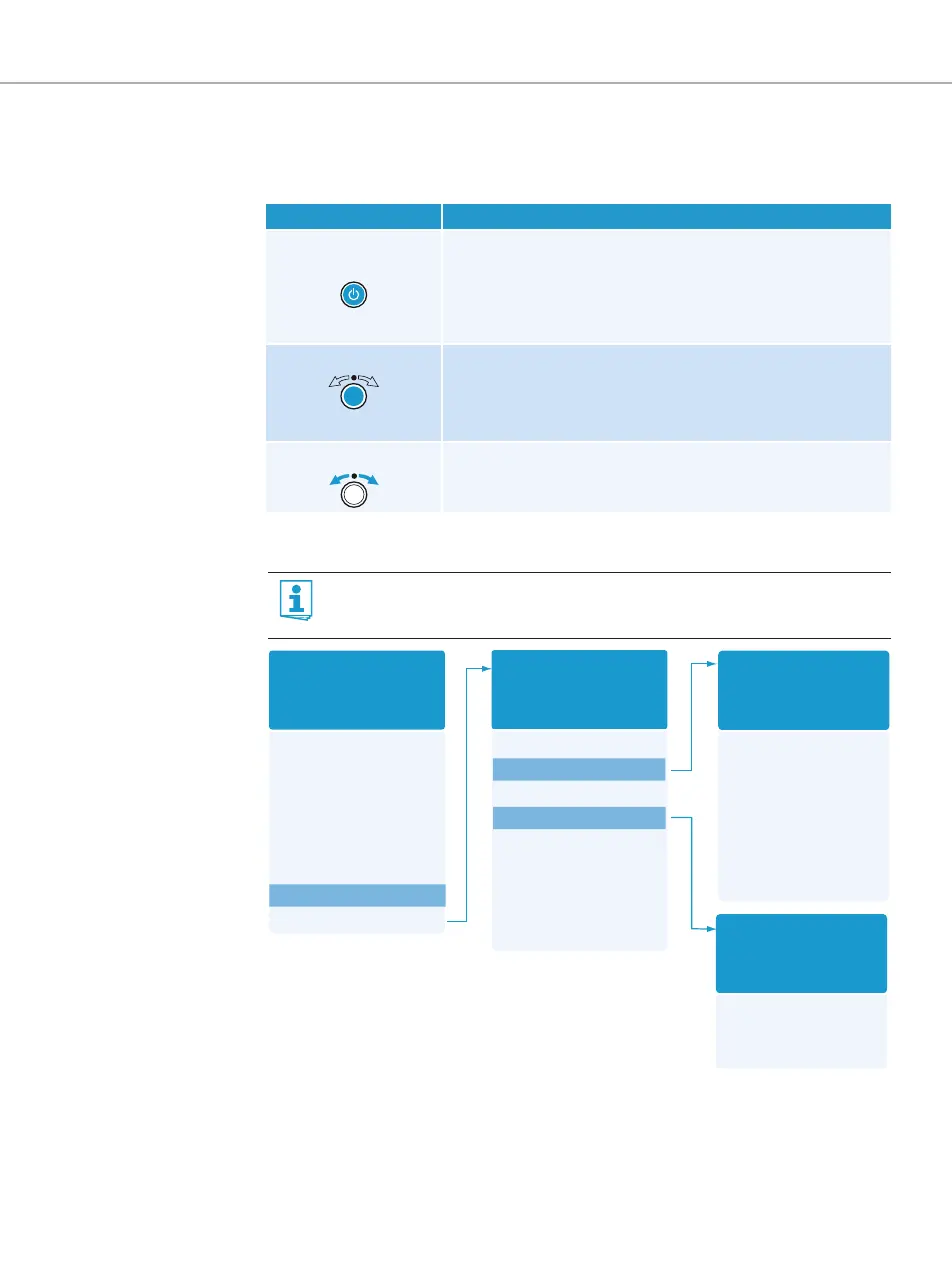
The buttons
Overview of the operating menu
When the standard display is shown on the display panel, you can get into the main menu by
pressing the jog dial. The extended menu “Advanced Menu” and the other menus can be
accessed via the corresponding menu items.
Button Function of the button
Press the STANDBY
button
• Switches the transmitter on and off
• Cancels the entry and returns to the standard display
(ESC function)
• Activates/deactivates the RF signal
(special function, see page 14)
Press the jog dial • Changes from the standard display to the operating menu
• Calls up a menu item
• Enters a submenu
• Stores the settings and returns to the operating menu
Turn the jog dial • Changes to the next/previous menu item
• Changes the setting of a menu item
For more detailed information on the operating menu, refer to the instruction
manual of the SR 2000 IEM/SR 2050 IEM which can be downloaded from the
SR 2000 IEM/SR 2050 IEM product page at www.sennheiser.com.
Sensitivity
Mode
Easy Setup
Frequency Preset
Name
AutoLock
Advanced
Exit
Main menu
“Menu”
Tune
Sync Settings
RF Power
Warnings
LCD Contrast
Reset
IP-Address
Software Revision
Exit
Extended menu
“Advanced Menu”
AF Peak
RF Mute
Exit
“Warnings”
Balance
Squelch
Mode
High Boost
Auto Lock
Limiter
Exit
“Sync Settings”









 To Next Page