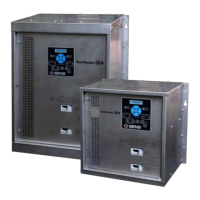
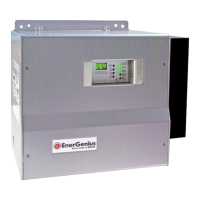
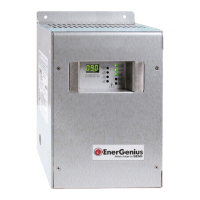
SENS MicroGenius S2/S4 Technical Manual
37
to delay before entering Boost mode after
power is cycled or battery type is changed.
Delay affects all outputs for multiple output
Select DC Output (multiple output
models only)
Select output to adjust specific settings
Enable or disable Dynamic Boost mode
Adjust the maximum amount of time charger
will be in Dynamic Boost mode from 1 to 100
hours. The Boost time limit is reset if charger
power is cycled or an engine crank is
Adjust amount of time charger will be in
scheduled periodic Boost mode from 1 to
100 hours. The Boost timer is reset if charger
Adjust amount of time between periodic
scheduled Boost events from 1 to 180 days.
Start or stop a manual Boost cycle. Will
operate in Boost mode until the Boost
Select DC Output (multiple output
models only)
Select output to adjust specific settings
Adjust output Float voltage from
8 to 34V, must be greater than 60% of Boost
Adjust output Boost voltage from 8 to 34V,
must be same or greater than Float setting,
must not be greater than 166% of Float
Enable or disable HELIX mode
Adjust current limit from 25% to 100% of
nominal current rating. Charger current limit
is governed to this value.
Adjust temperature compensation slope
from 0 to -0.30%V/°C
Press UP arrow to reset/clear Low Cranking
alarm
Press UP arrow to reset/clear Battery Check
alarm
Adjust amount of time to delay activation of
alarms after alarm event takes place from 5
to 60 seconds. Alarm/comms circuit board
alarm relay contacts and alarms on
communications ports are delayed; LED
alarm indication is not delayed. Delay affects
all outputs for multiple output models.
Enable or disable ground fault alarm. Alarm
enabled/disabled on all outputs for multiple
output models. Not available on MicroCab
Select DC Output (multiple output
models only)
Select output to adjust specific settings
Adjust setpoint to trigger Low Crank alarm



 To Next Page