Chapter 2: Installation
27
NOTE
4HEPROXIMITYOFTHEAUDIBLEALARMTOTHEMICROPHONE
ISEXTREMELYIMPORTANT
.ORMALLYTHE-ODELANDTHEAUDIBLEALARMMUSTBEIN
THESAMEROOM4HEMAXIMUMDISTANCECANVARYCONSIDERABLY
depending on the alarm, the acoustics, and the size of the room.
$URINGANALARMDIALOUTTHEMICROPHONEALLOWSFOURSECOND
INTERVALSTOLISTENINTOSOUNDSATTHE-ODELSLOCATION
7HENCALLINGFORA3TATUS2EPORTTHEMICROPHONEPERMITS
LISTENINGTOONSITESOUNDSFORAPROGRAMMEDTIMEINTERVAL
$OHUW=RQHV
/PENTHEINPUTOUTPUTWIRINGDOORLOCATEDABOVETHEKEYPAD
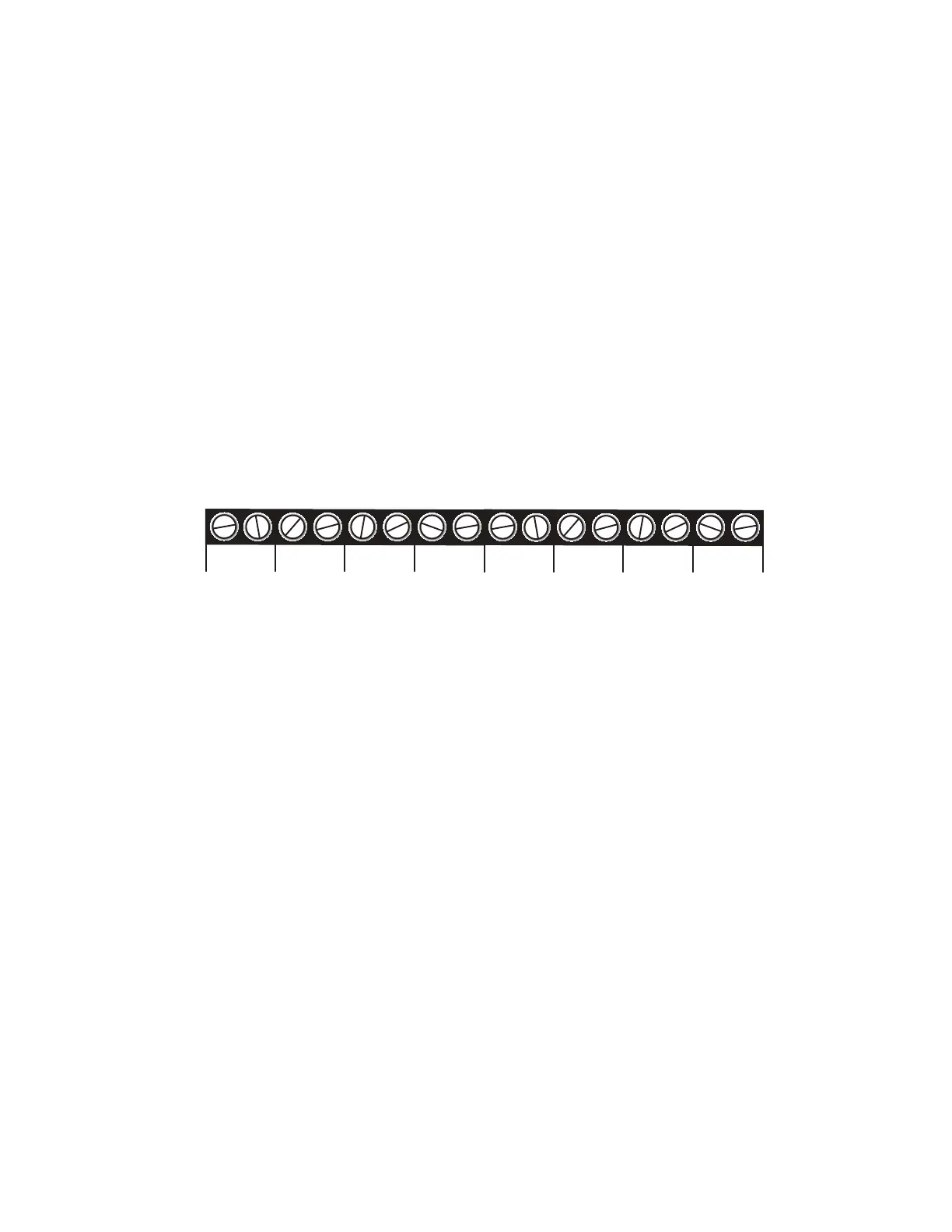
4HE-ODELCANMONITORUPTOZONESREPRESENTEDBYTHE
NUMBEREDTERMINALSCREWSSHOWNIN&IGUREBELOW
#
:/.%3
#
#
#
#
#
#
#
)LJXUH$OHUW=RQHV
Zones are configured as either dry contact or temperature. A zone
configured as dry contact can be used with any normally open
./ORNORMALLYCLOSED.#DEVICEh/PENvREFERSTOAN
opened circuit path; if conditions cause the circuit to close, an
alert condition occurs. “Closed” refers to a continuous circuit
PATHIFACLOSEDCIRCUITISOPENEDANALERTCONDITIONOCCURS4HE
Model 800 determines the way zones are configured by the type
OFSENSORCONNECTEDTOEACHALERTZONEREFERTO#HAPTER
A zone configured as “temperature” is designed to evaluate a
RANGEOFSETTINGS4HE-ODELWILLREADTHETEMPERATUREATTHE
sensor’s location and compare that value to programmed high
ANDLOWTEMPERATURELIMITS4EMPERATUREZONESMUSTBEUSEDWITH
3ENSAPHONES+2EMOTE4EMPERATURE3ENSORORWEATHERPROOF
sensor.
NOTE
Before wiring, it is advisable to disable the zones to
prevent accidentally tripping an alarm. See Chapter 5.


 To Next Page