MT3401E.doc rev.0 21/05/13 Pagina 58 di 86
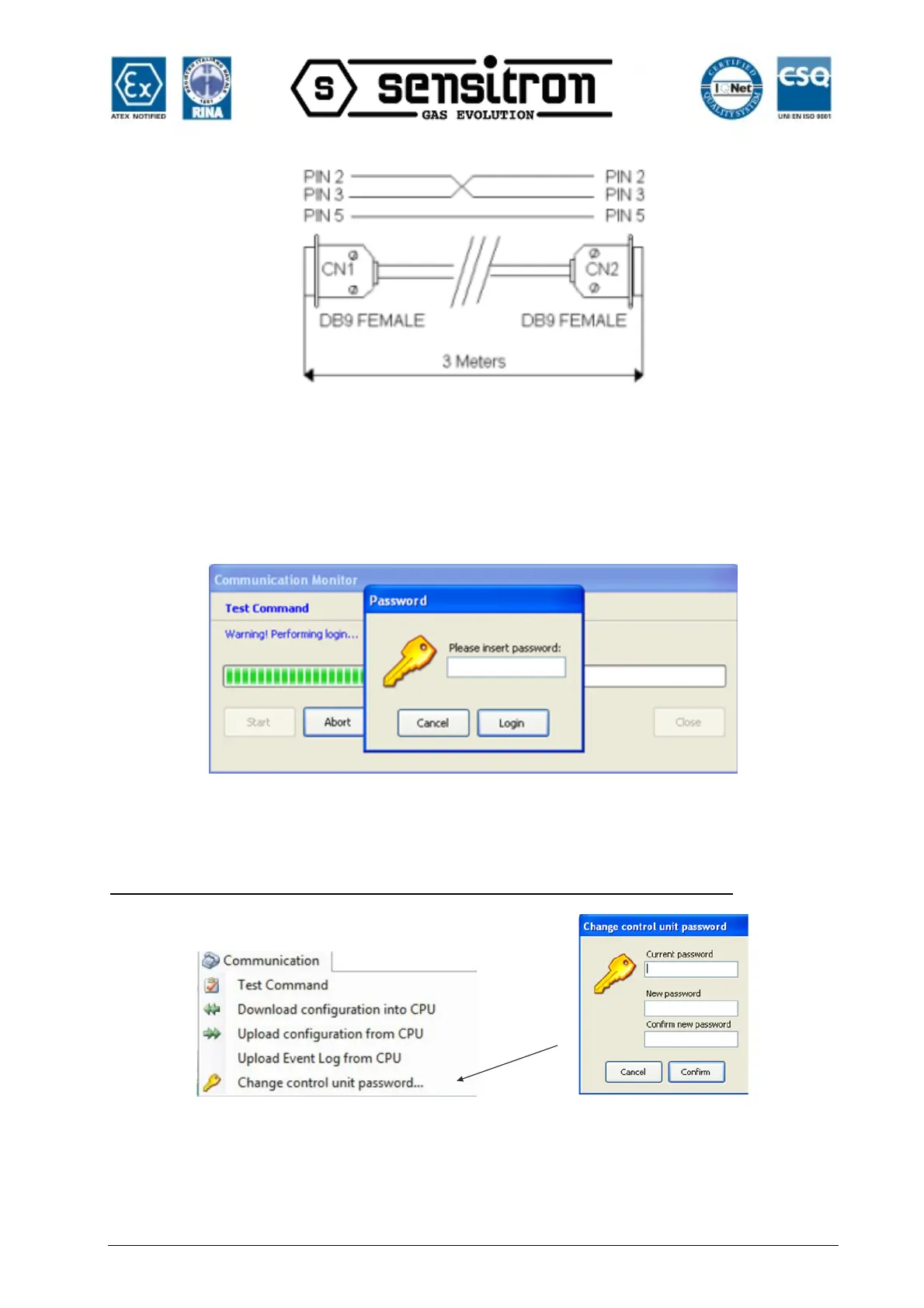
Fig. 4.4.4 c) Schema cavo seriale
“Test Command” lets you check whether the control panel and PC are correctly
connected. Whenever data is exchanged between the control panel and PC, a
password must be entered to establish the connection (Serial Password). The entered
password is compared with the one that resides on the control panel and the connection
is established.
Fig. 4.4.4 d) Richiesta inserimento password seriale
The default password is 000000 but can be changed by clicking “Change Control Unit
Password”
Warning. The control panel cannot be accessed if the new password is lost
Fig. 4.4.4 e) Serial password change
“Download Configuration into CPU” lets you download the system file created in the
MULTISCAN++S1 control panel.



 To Next Page