MT3401E.doc rev.0 21/05/13 Pagina 77 di 86
OR OR Mode. The output gets activated whenever one of the events associated to
this output enters an alarm or failure condition.
Voting A settable quantity of events would happen at the same time to activate
the output.
Associated Sensors /Modules it is the window where the events associated to the
output can be chosen (with the Add/Remove key) and shown.
Add / Remove To add or remove the events from the Associated Sensors Modules
window.
Programming of a new Relay Output
Selecting the new output, by the Relay Type mode select if it is a Sensor event, a
Module event or a Generic event.
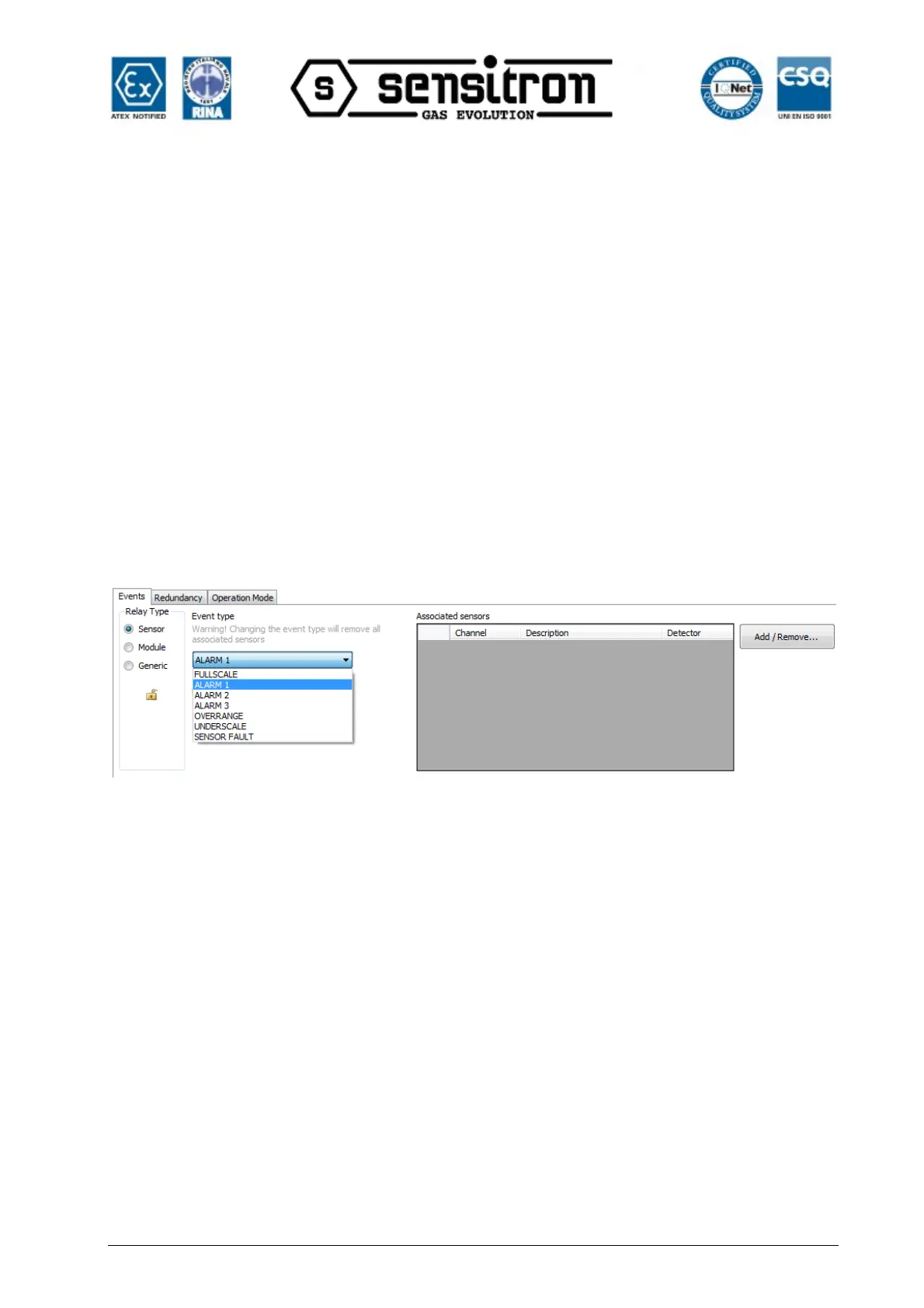
Sensor event: select Sensor in Relay Type. Then go to the Event Type and select the
type of the activation between: Underscale, Alarm1, Alarm2, Alarm3, Overange,
Overscale and Fault.
Fig. 4.5.6 d) Sensor event
By pushing Add / Remove, the screen will allow you choose the channel address or the
input channels (to be associated to an output).
An open or closed lock on the left side is indicating the non latching or latching status of
the relay output.



 To Next Page