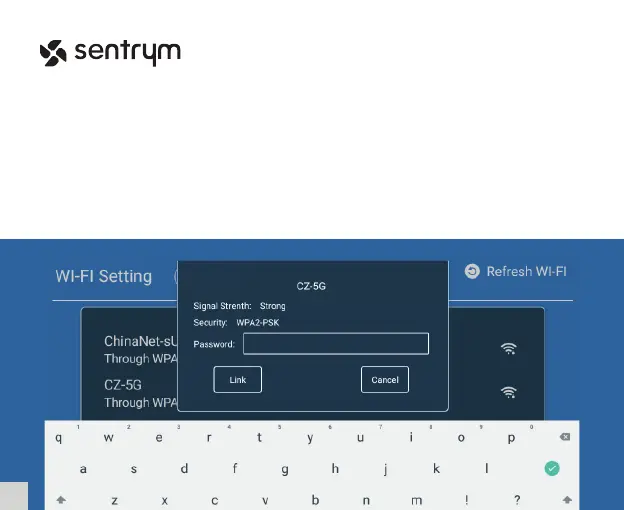
Wi-Fi Setting
In the Home Screen, select “Settings” then go into “Networking Setting” -> “Wi-Fi Setting”.
Make sure the switch is in the “On” state and the Wi-Fi SSID List should automatically populate.
You can also choose to refresh the list if you can’t nd the SSID that you are looking for by pressing
the “Refresh Wi-Fi” icon on the top right of the screen. Next, select the network that you wish to
connect to and enter the password and click “Link”.
7
L1


 To Next Page