iMirror (iOS System)
Your iOS device and projector both need to be connected to the same Wi-Fi
network. In the absence of a Wi-Fi network, you can connect the iOS device to
the hotspot of the projector instead.
1
2
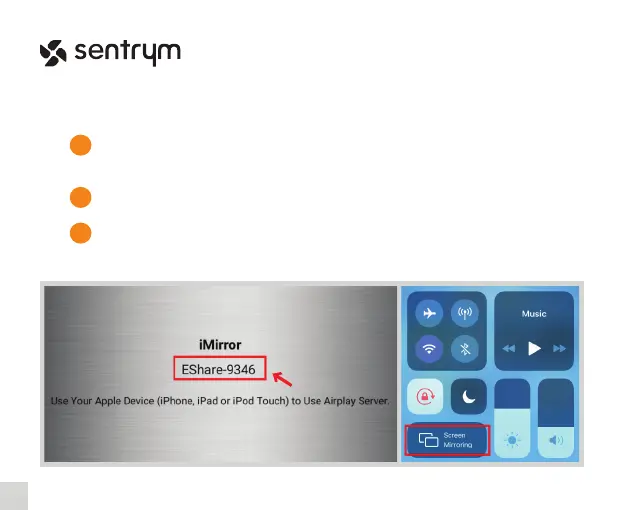
In the Home Screen, select “AirPlay”.
Open the “Screen Mirroring” function on your iOS device and search and connect
to the device name shown in the AirPlay menu on the projector screen. (Eg.
EShare-####)
3
11
L1


 To Next Page