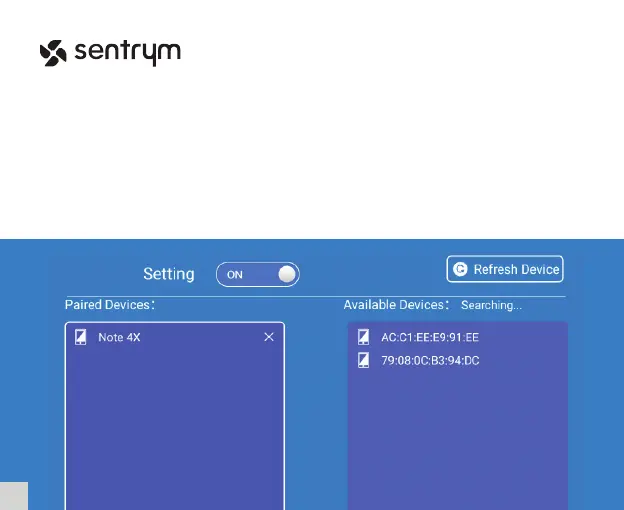
Bluetooth Setting
In the Home Screen, select “Settings” then go into “BT Setting”. Set the switch to the “On”
state and it will automatically begin searching for nearby bluetooth devices.
If you are unable to scan and nd the device you are looking for, you can click the top right
“Refresh Device” button to scan again. Once you’ve located the device you wish to connect
to, click and pair. The device will then show on the left side under “Paired Devices”.
9
L1


 To Next Page