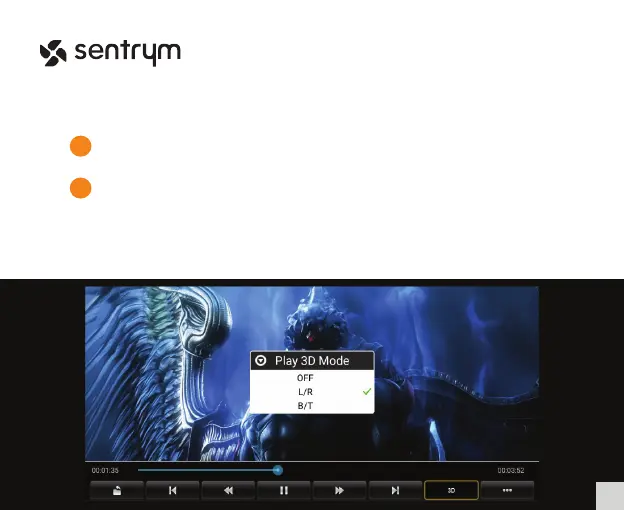
3D Movie Playback
Before playing 3D Videos, please turn off Horizontal Keystone Correction and
Screen Zoom inside Settings.
1
2
Open the “Movie Player” App, then open the video that you wish to play in 3D.
Select the “3D” option in the menu bar and select the appropriate 3D mode.
*3D glasses are not included with the projector, but you can use any active
shutter 3D glasses for the projector.
14
L1


 To Next Page