Installing Apps
You can either download the APK le directly onto the projector disk space, or
download it onto your PC and transfer it onto a USB ash drive to insert into the
projector.
1
2
3
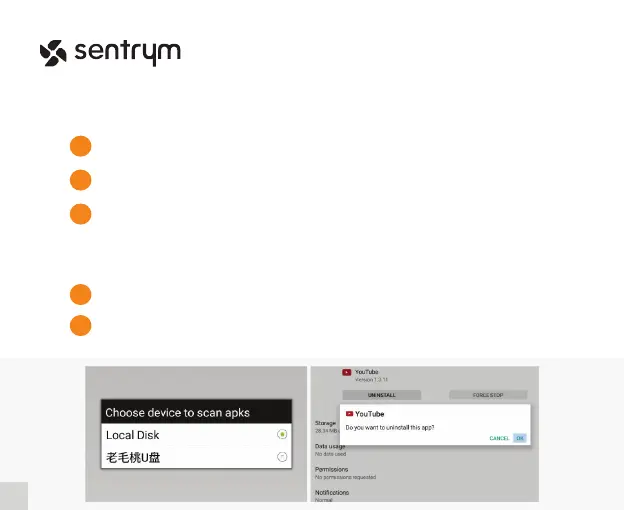
Once you have the APK le ready, enter “App Center” then click on “App
Installer” and you will receive a prompt to nd the location of your le.
Click and accept the installation.
Uninstalling Apps
Enter the “Settings” menu on the home screen and go into “Other Setting” -> “Apps &
Notications”, and select the Application that you would like to uninstall.
1
Click on “Uninstall” and follow the conrmation.
2
15
L1


 To Next Page