File Manager
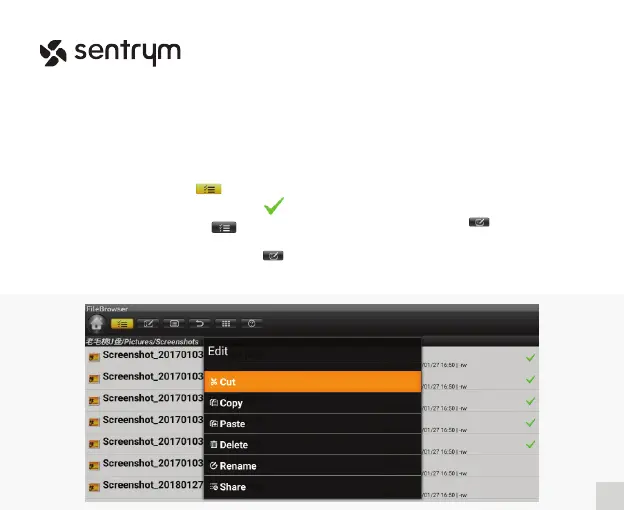
After inserting your USB Flash Drive or TF Card, click and enter the App “File Browser”.
1) Select the menu icon
Edit
2) Check the le you wish to modify
3) Uncheck the menu icon
4) Select the option you wish to
perform in the “Edit” icon directory
To “Cut” or “Copy” a le, you need
to rst select the directory.
1) Click the “Edit” icon
2) Select “Paste”
Cut & Copy
16
L1


 To Next Page