Introduction
1–6 700-0098 R006
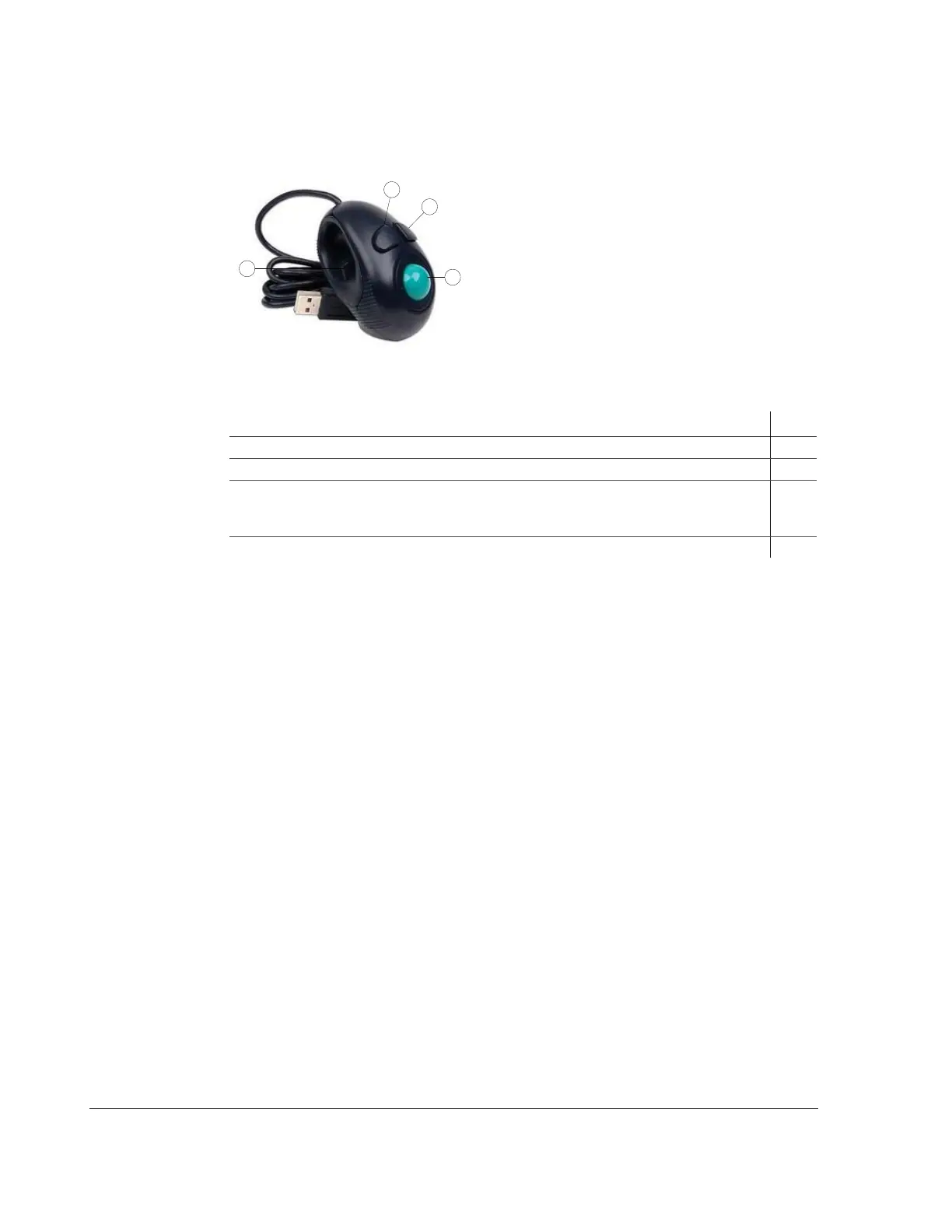
1.5.3. Trackball mouse
Many other USB mice will also work with the DVR.
Figure 1-4
Trackball Mouse Pointing Device
Table 1-3
Trackball Mouse Features
To do this… Item
Select the highlighted menu option by pressing the middle button. 1
Select the highlighted menu option by pressing the left button with your thumb. 2
• Delete a character entered into a field or go back to a previous items by pressing the button
on the right.
• Press this button to enter the configuration menu.
3
Move the cursor around the screen by rotating the blue button. 4



 To Next Page