DVR Operation
2–8 700-0098 R006
2.4.2. Using the Search Function
The TL DVR includes a powerful search function that lets you quickly find recorded
information by Date and Time, Alarm, Signals, or System Events.
To view the Search menu:
1. From the Main Menu, click on the Search icon.
Playback and press Enter.
See Figure 2-6.
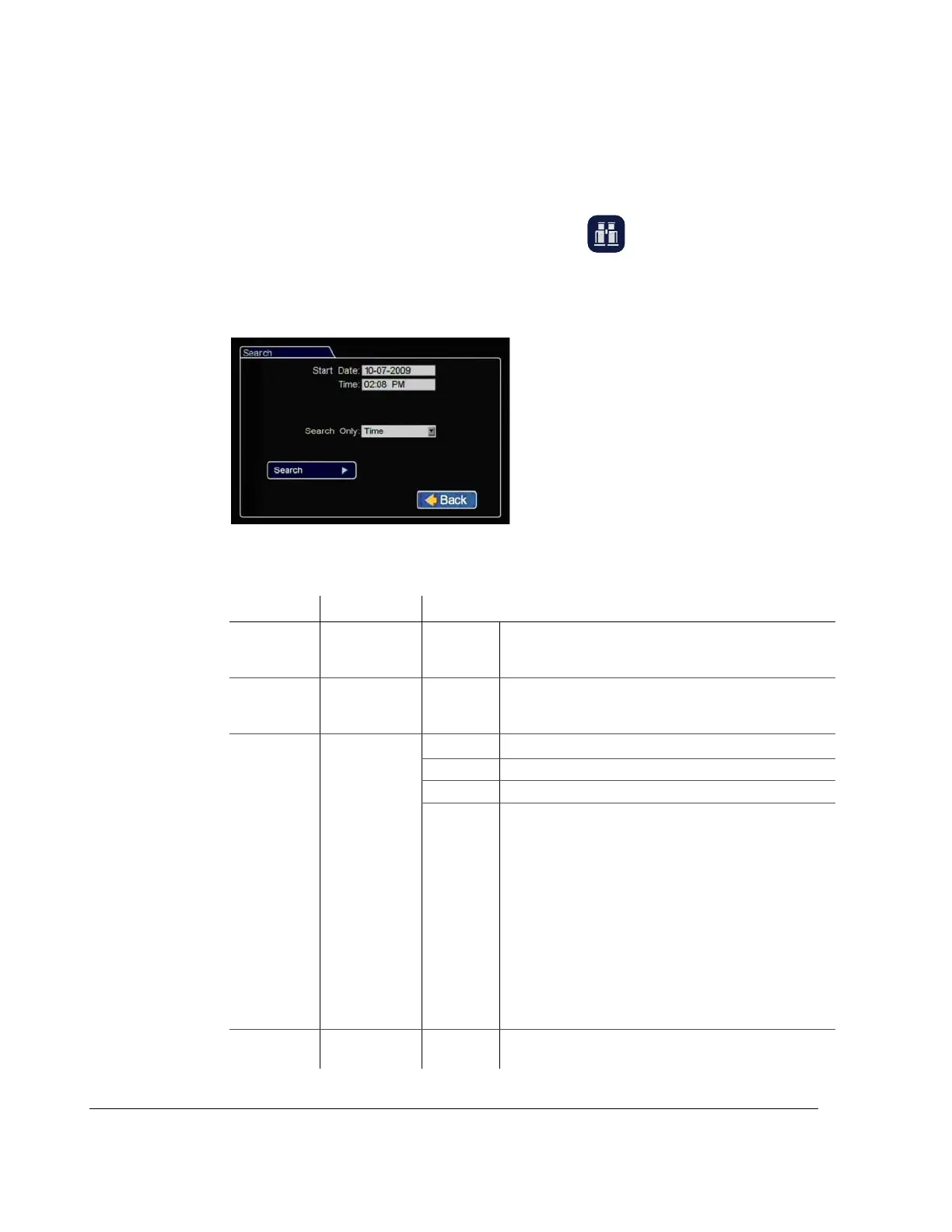
The Search menu appears as shown in Figure 2-8. The items appearing in the
dialog box will depend on the item selected in Search Only box.
Figure 2-8
Search Menu
Table 2-3
Search Configuration Items
Menu Item Description Value [Default]
Start Date Set the start
date for the
search.
Time Set the start
time for the
search.
Search Only Select the
desired search
type.
•[Time]
• Alarm • Alm1, Alm2, Alm3, Alm4, All
• Signals • Signal1 - Signal10, All
•System
Event
•An Alarm event, n = alarm input
•Dn Drive over temperature warning, n = disk number
• LH Logical head: beginning of recording date and
time after drive has been overwritten
•LUn Logical user login n = 1 is Administrator, 2 is
Operator, 3 is General
• PH Physical head: Beginning point of hard disk space
•PL Power loss
•RUn Remote user login through HTTP, n = user level
•Sn Signal, n = signal input
•Tn Scheduled recording
•Vn Video loss, n = camera
•All
Search Press Enter to
Start Search.



 To Next Page