DVR Firmware and Configuration Uploads
4–6 700-0098 R006
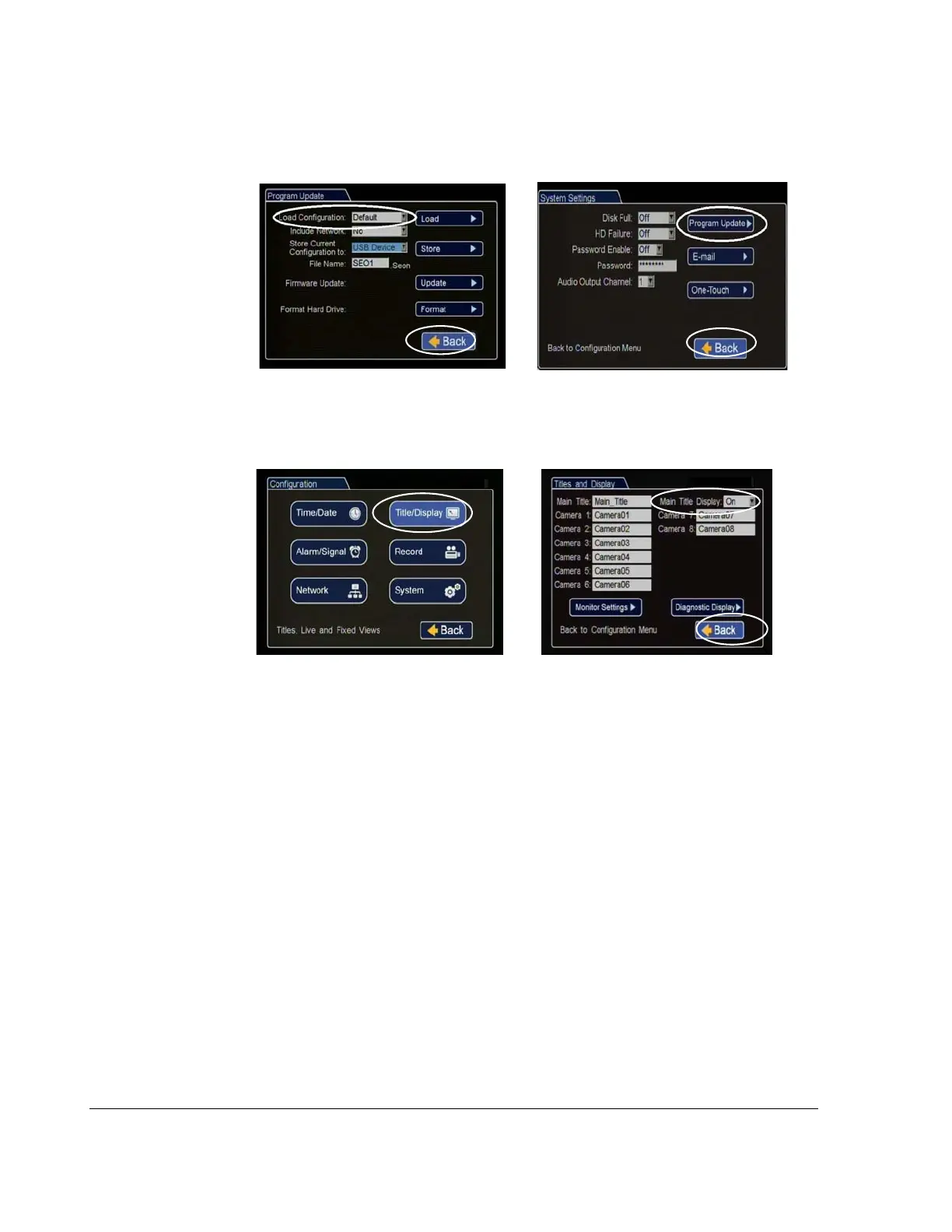
11. Click Back in the Program Update and then System Settings menus to save and
exit the menus.
12. From the Configuration menu, click Title/Display, and in the Titles and Display
menu, update the text in the Main_Title field.
13. Click Back to save.
14. Remove the USB memory device.
15. Turn off the DVR, restart the DVR, and confirm that the new configuration
settings have been applied.
Figure 4-7
Click Back to Save Configuration
Figure 4-8
Titles and Display Menus



 To Next Page