Switched PRO2 – User Guide
Using the Web Interface • 109
Configuring TACACS+ Privilege Levels
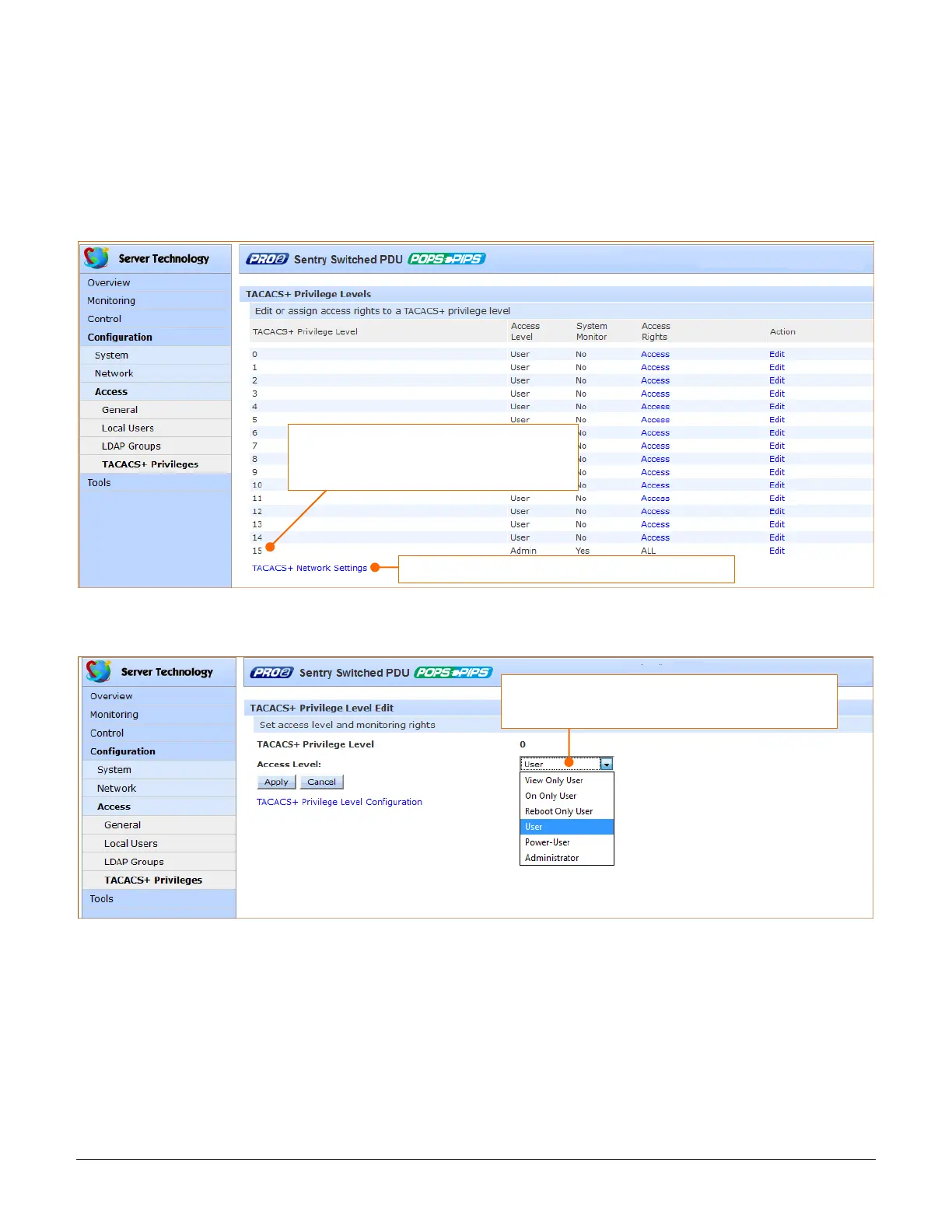
The PRO2 supports 16 different TACACS+ privilege levels. The administrative-level user can configure 15 privilege
levels. One level is reserved by default for access to all PRO2 resources by the administrative-level user. Six
defined user privilege levels are available: Admin, Power User, User, On-Only User, Reboot-Only User, and View-
Only User.
1. At the bottom of the TACACS+ screen, click the TACACS+ Privilege Levels link to display the following edit
page which shows the current user access level for each TACACS+ privilege level.
2. For a privilege level shown in the above list, click Edit to display the TACACS+ Privilege Level Edit page:
Privilege level 15 is assigned by default for
administrator access rights to all PDU
resources. Level 15 cannot be changed.
From the Access Level list, select a user access level for
the displayed TACACS+ privilege level.



 To Next Page