Switched PRO2 – User Guide
Using the Web Interface • 92
Network (Setting Up Network Protocols)
The Network section of the Web interface provides network setup options for the protocols supported by PRO2:
DHCP/IP, Email/SMTP, FTP, HTTP/HTTPS, LDAP, RADIUS, SNMP, SNTP, Syslog, TACACS+, and Telnet/SSH.
Note: The Network section only allows the administrator to set up network protocol parameters.
To configure how the PRO2 user uses the network and system, see the Access section.
Network > DHCP/IP
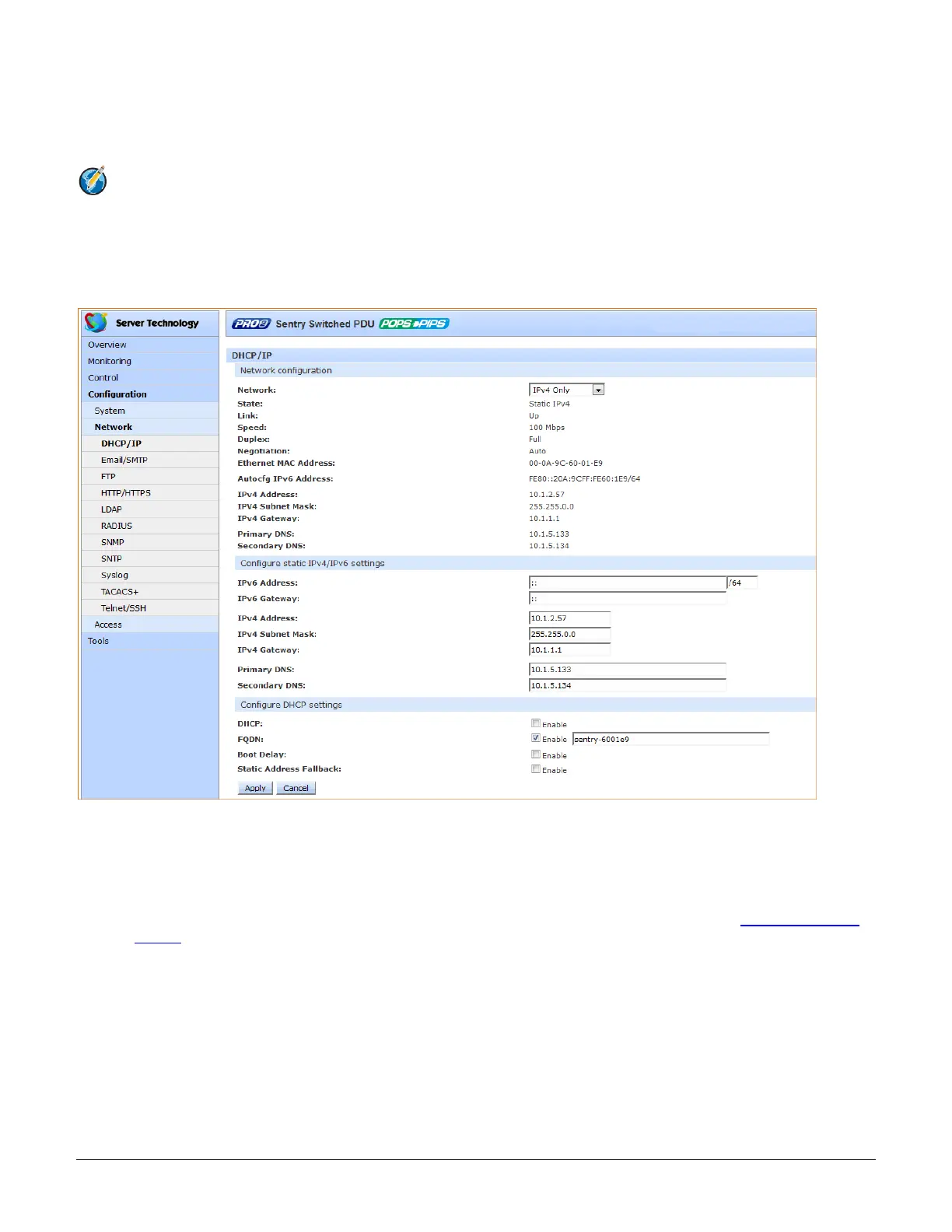
The DHCP/IP page allows configuration of the acquisition method for the protocol stack, viewing of current network
communication settings, determining static IPv4/IPv6 address formats, and enabling DHCP options.
To configure DHCP/IP:
1. Network: Determines the acquisition method used for the protocol stack: “Disabled”, “Dual IPv6/IPv4”, or
“IPv4 only”. For maximum backward compatibility, accept the default network mode “IPv4 only”.
2. View the fields in the next section of the page as a quick reference for current network parameters:
For more information about how PRO2 handles the network with IPv6/IPv4 options, see Network-Enabled
Modes in this user guide.



 To Next Page