Switched PRO2 – User Guide
Using the Web Interface • 91
Configuring a UPS:
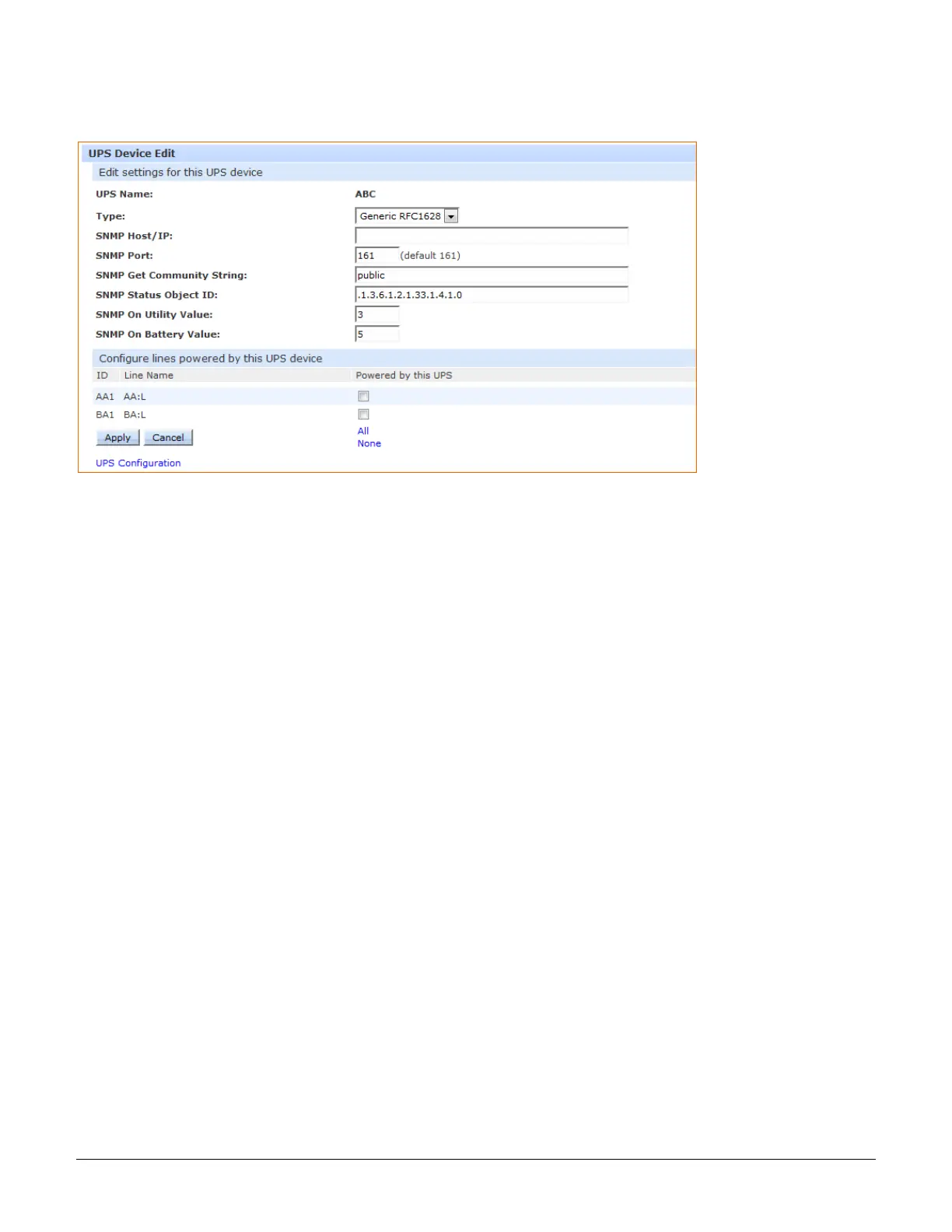
For a UPS listed on the page, click the Edit link to display the edit window:
To configure a UPS:
1. From the Type drop-down list, select the UPS manufacturer.
2. Type the desired values for the SNMP-related fields or accept the defaults as shown on the page.
3. Check the corresponding checkboxes for the line(s) that are powered by the UPS. To select all lines for the
UPS, click All (or click None to deselect all lines).
4. Click Apply.
To remove a UPS:
1. For a UPS listed, click the Remove link. You will be prompted to confirm the removal of the UPS.



 To Next Page