Switched PRO2 – User Guide
Appendix A: Product Support Information • 206
Compact Fuse Holder
The Compact Fuse Holder is a UL 98 listed Fused Disconnect Switch that allows the user to turn OFF the branch
circuit and safely service the fuse without having to disconnect the PDU AC power source prior to performing this
operation.
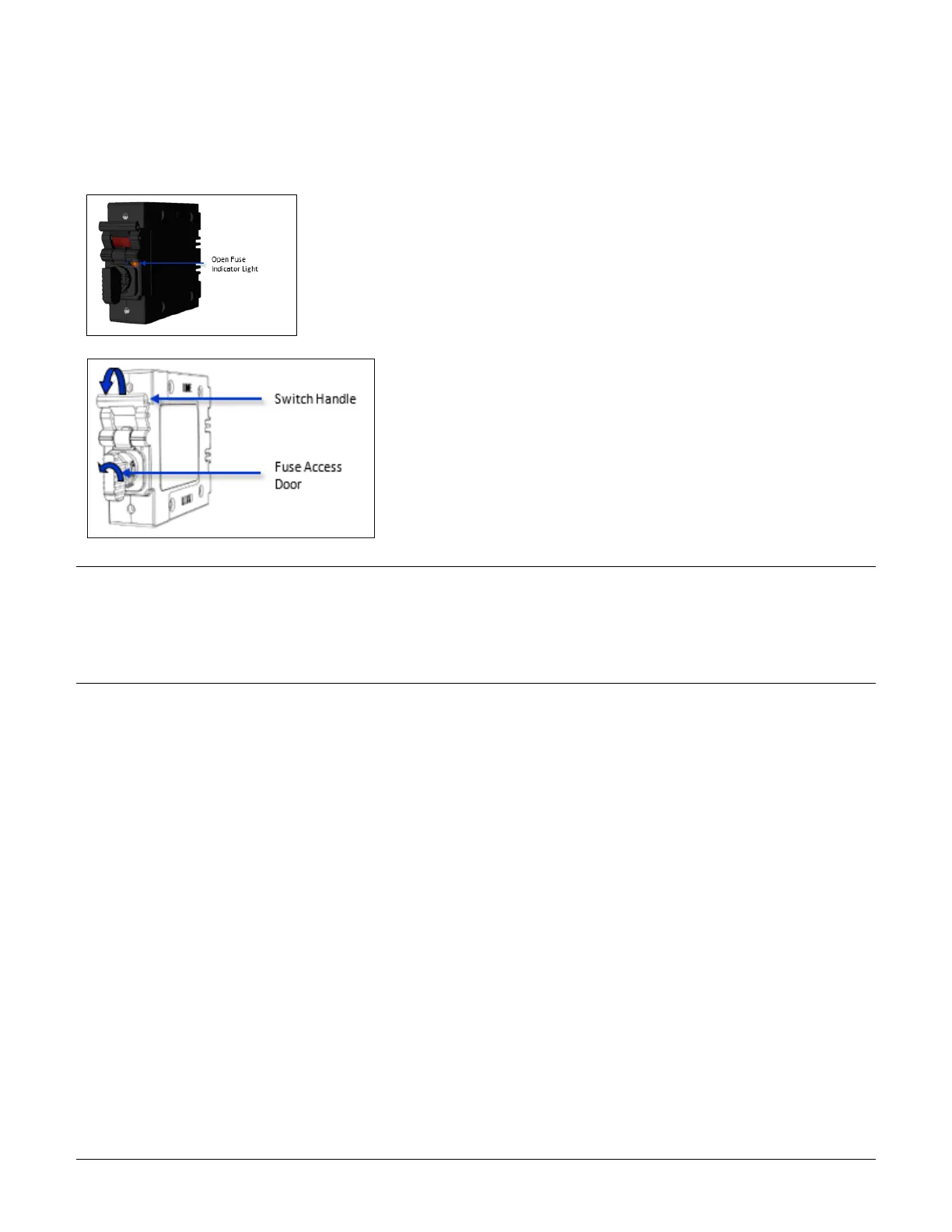
To help identify which fuse is open, blown, or missing, the Open Fuse Indicator
Light glows orange when the PDU is powered and the Switch Handle is in the
ON position.
Additionally, intelligent PDUs with branch circuit sensing will display a flashing FE
on the input current LEDs to indicate Fuse Error.
To service the fuse or turn OFF the branch, rotate the Switch Handle
toward the Fuse Access Door.
Next, rotate the Fuse Access Door counter clock-wise until it opens.
Only replace the fuse with the same size, type, and ratings as the
original fuse.
Reverse these steps after the new fuse(s) is installed.
CAUTION:
• Failure to replace the fuse with the same size, type, and ratings will damage the PDU and the connected and nearby
equipment, and will cause electrical shock, fire, explosion, or injury/death.
• Do not attempt to open the Fuse Access Door without first setting the Switch Handle in the OFF position. Forcibly
rotating the Fuse Access Door will damage the fused holder.



 To Next Page