Switched PRO2 – User Guide
Using the Web Interface • 40
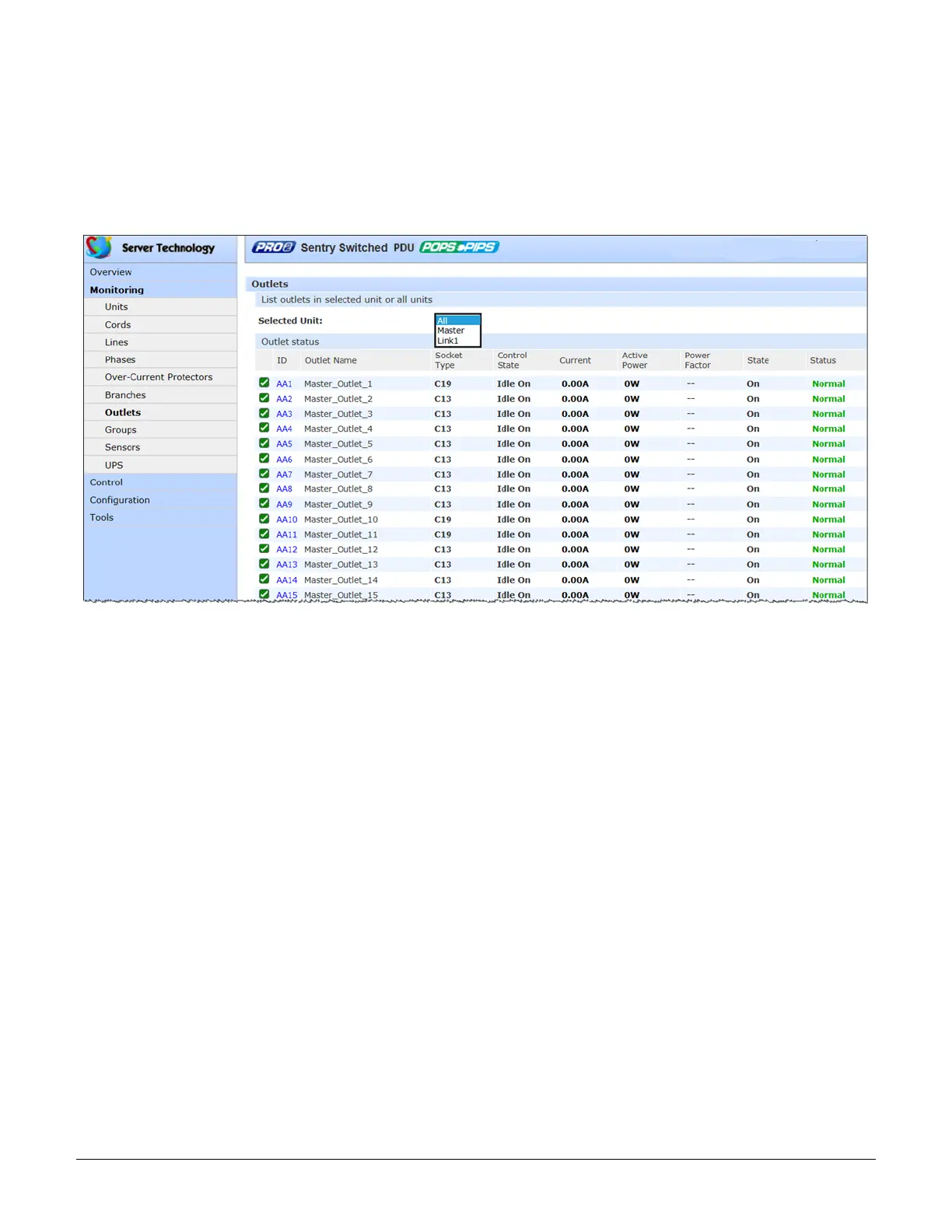
Monitoring > Outlets
The Outlets page lists the outlets in the PRO2 unit with a quick overview of general outlet information, including
operational status based on user-configured thresholds for current, active power, and power factor.
Also displayed are the last user action (on, off, reboot) issued on the outlet (shown in the State column), and the
outlet’s last reported condition (shown in the Control State column).
The page allows a fast drill-down from the ID link for more operational data about a specific outlet in the list.
What to look for:
The operating status of all outlets should be Normal. If necessary, view operational details for an outlet. The ID and
socket type are determined at factory assembly and cannot be user-configured.
Each outlet has a unique number, and the numbering sequence of outlets is not associated with the PRO2’s branch
or phase number. For example, a 30-outlet PRO2 unit (either single-phase or 3-phase) unit will have outlet
numbers sequenced from 1 to 30.
The outlet status displays a blinking warning (yellow) and red (error condition) when an outlet exceeds the user-
defined thresholds. The status continues to display yellow and red states until the condition changes or the issue
has been resolved.
A descriptive text outlet name can be configured at Configuration > System > Outlets.



 To Next Page