Switched PRO2 – User Guide
Using the Web Interface • 43
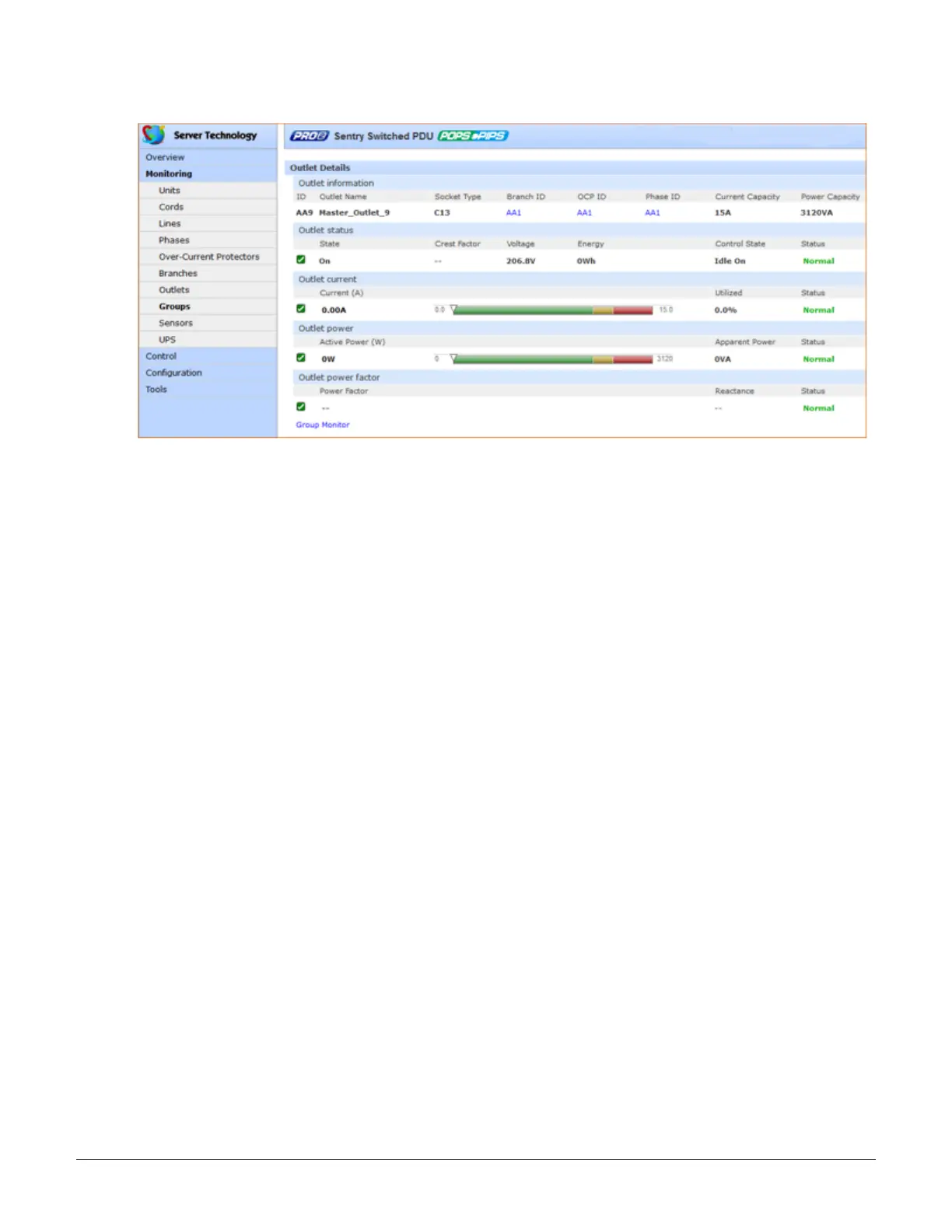
2. When you click an outlet ID link in the list, the details page for that outlet displays:
3. The AA14 Outlet Details page displays specific information about the selected outlet that includes capacity
and usage, along with status graphs for outlet current (A) and outlet power (W).
4. To return to the previous monitoring page, click the Group Monitor link.



 To Next Page