SCORPIO LIGHT SERIES 10’/17’/23’L - CONTROL DISPLAY INFORMATION - Operation menu
Version 1.04 May 26, 2022
44
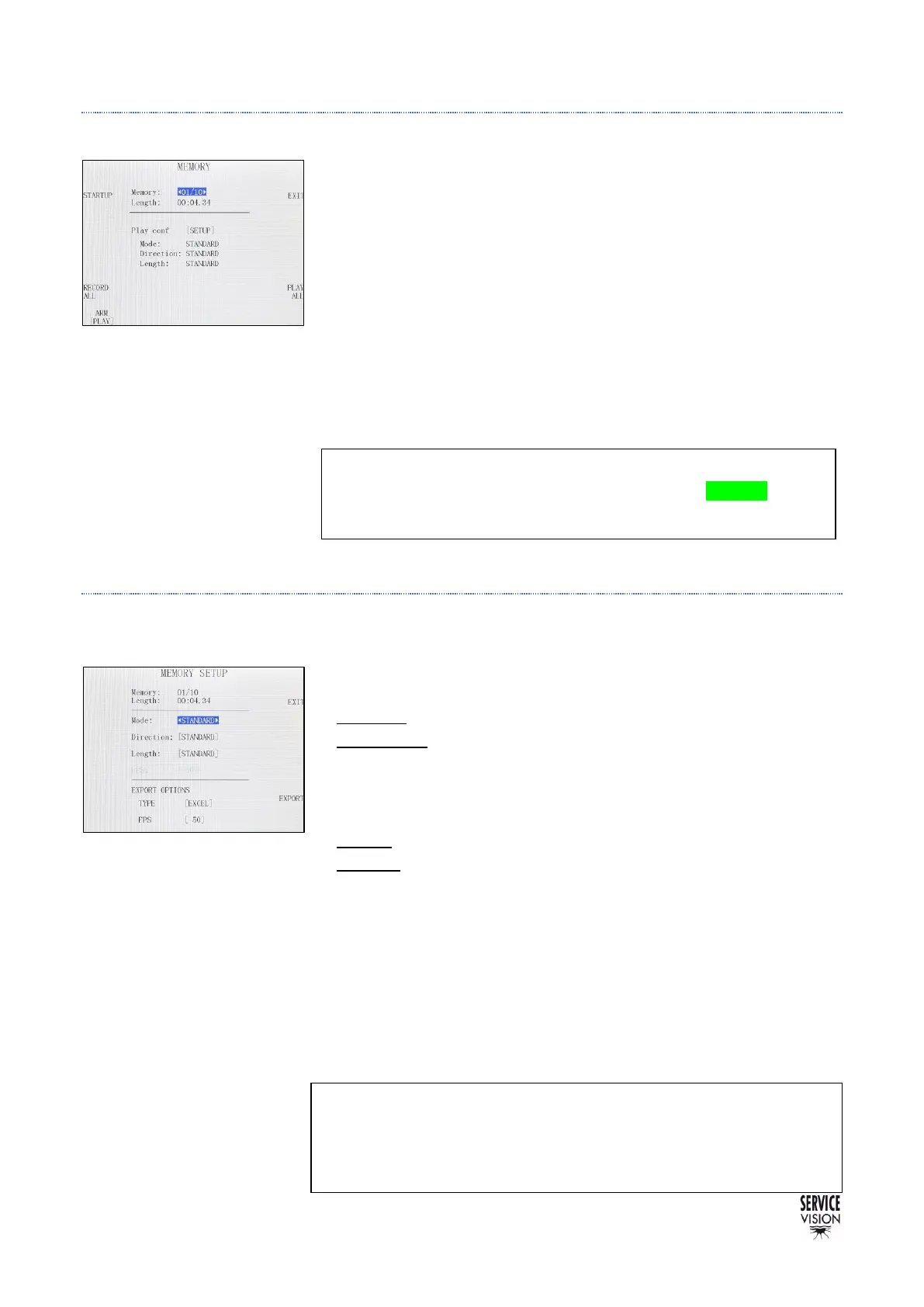
4.2.2.2 PLAYBACK A MOVEMENT
Once there is a memory recorded, the system allows different playing
configurations to play/reproduce a recorded movement.
To playback a movement as it was recorded, change the status mode
of the ARM axis to [PLAY] or press the PLAY ALL button to change all
the axes states to play.
Then press the STARTUP button and the crane will automatically go
to the beginning position of the recorded movement (this action is
called HOMING). Now screen 04.15 is displayed again. Press the
START button in the touchscreen and the same movement recorded
will be reproduced.
4.2.2.3 CONFIGURE AN EXISTING MOVEMENT
By pressing the [SETUP] button of an existing memory the user can access to modify that memory.
MODE:
• Standard: Regular playback mode.
• Stop Motion: It allows to playback the memory frame by frame. The
FPS option sets how many FPS the user wants.
DIRECTION:
• Normal: Regular playback mode.
• Reverse: The playback starts in the end of the movement and ends
in the beginning position of the recorded movement.
LENGTH:
This is the length of the movement; it can be multiplied by 2 as many
times as needed to make it slower.
EXPORT OPTIONS: with the EXPORT button a file is generated in
the SD card. In this submenu it is possible to choose the type of file
(ASCII or EXCEL) and how many FPS will have the exported file.



 To Next Page