SCORPIO LIGHT SERIES 10’/17’/23’L - CONTROL DISPLAY INFORMATION - Operation menu
Version 1.04 May 26, 2022
SERVICEVISION BIS SL
Ríos Rosas, 20 · 08940 CORNELLA DE LLOBREGAT (Barcelona) Spain · Tel. 34 93 223 86 30 · Fax 34 93 223 86 31 45
comercial@servicevision.es · www.servicevision.es
4.2.3 SETTINGS MENU
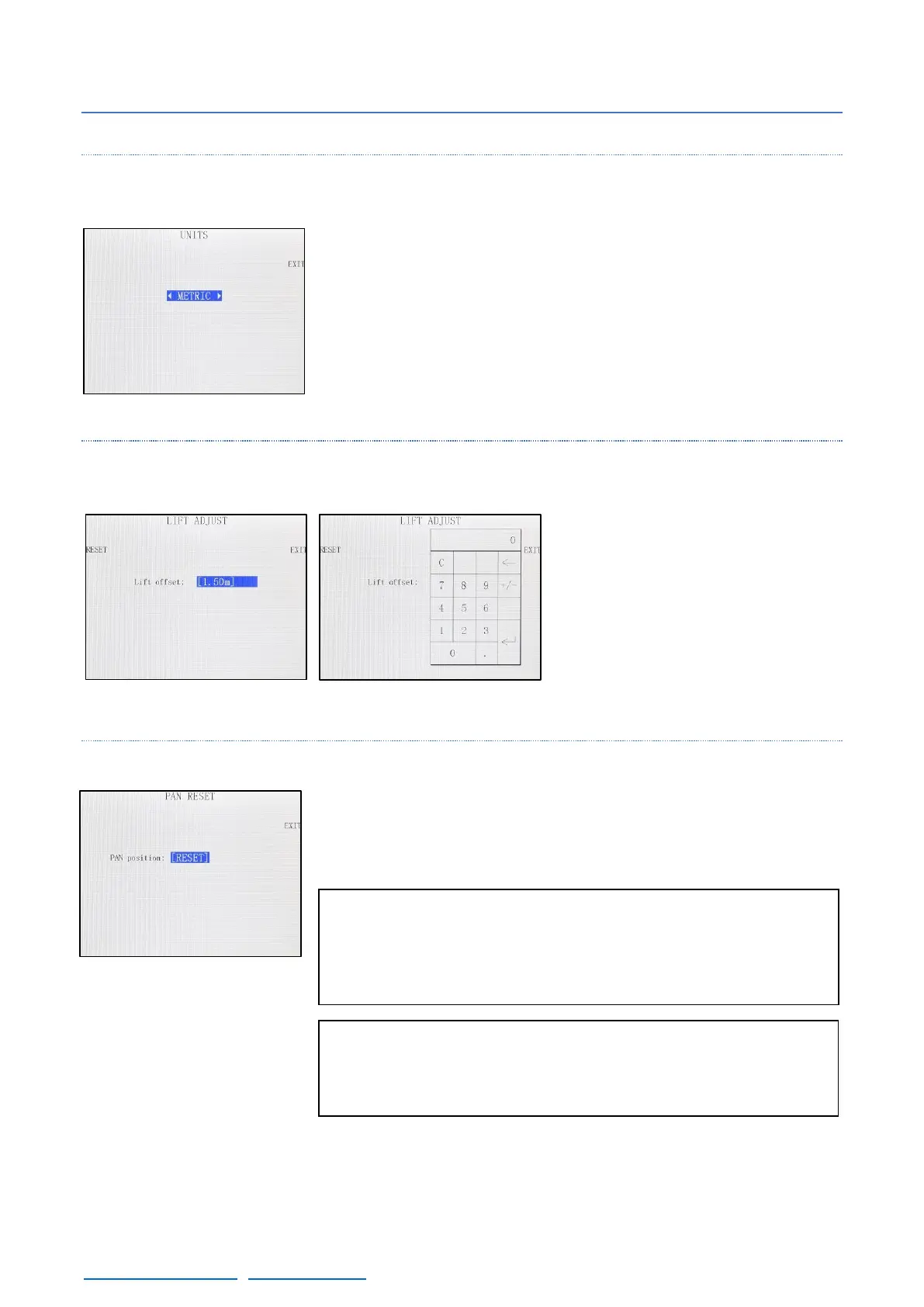
4.2.3.1 UNITS
In this menu is possible to select how the distance information is
displayed: Metric system or Imperial system.
4.2.3.2 LIFT
To introduce a lift offset, measure the
lens height without moving the arm.
Introduce that distance using the
keypad and when the arm moves it will
calculate the height change of the lens
and it will display in the main screen.
4.2.3.3 RESET PAN
The reset pan feature is used to set the 0º in the actual position of the
arm. If the 0 position of the arm is not done, the position that the arm
had when the system was started will be taken as the 0º position.
Note: The 0 position of the Pan axis is used for different
features such as Arc Comp, Motion Gen, or the Integration
with the Scorpio Heads. Please physically mark the 0 position
before using these features to save it in case of a power cut.
Note 2: If the crane is Integrated with the Scorpio Heads for a
tracking movement, the change of the 0 position of the crane
will affect to the position of the Scorpio Head.



 To Next Page