SCORPIO LIGHT SERIES 10’/17’/23’L - SPECIAL CONFIGURATIONS - Interface with Scorpio Heads
Version 1.04 May 26, 2022
SERVICEVISION BIS SL
Ríos Rosas, 20 · 08940 CORNELLA DE LLOBREGAT (Barcelona) Spain · Tel. 34 93 223 86 30 · Fax 34 93 223 86 31 73
comercial@servicevision.es · www.servicevision.es
8 SPECIAL CONFIGURATIONS
8.1 INTERFACE WITH SCORPIO HEADS
In the Electronic Box of the Scorpio Cranes there is one connector that connects the crane with the
control of the Scorpio Head. By doing this the system can perform special features such as Motion
Generator or Back Pan.
8.1.1 SET UP CONDITIONS
These functions are available with any regular Scorpio Head
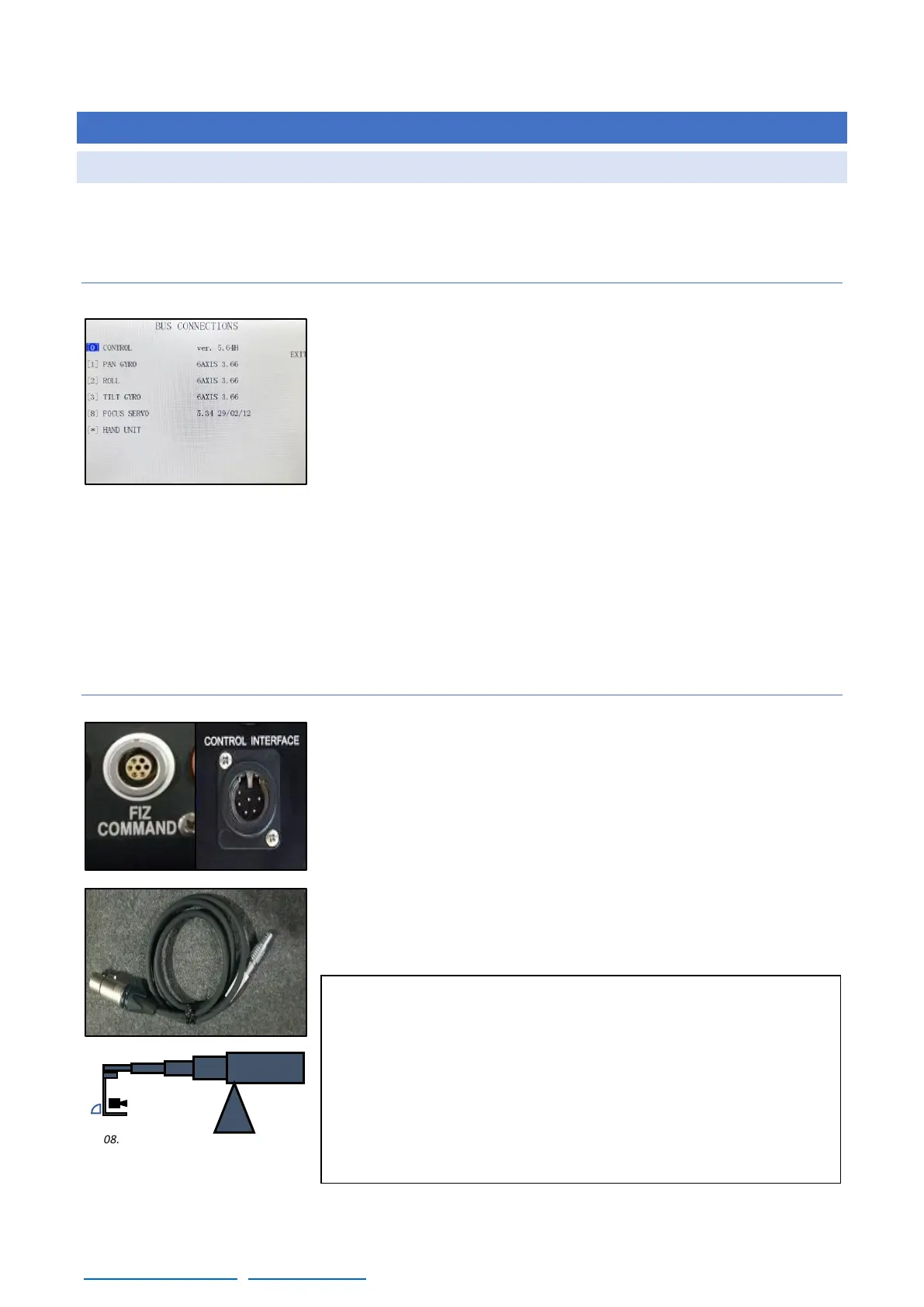
(Classic/Mini/Mini EZ or Micro) that has a SERVO F, SERVO I board
(or a newer version) and a control with the CCU2000 (Handwheels,
Pan bar…) with a software version newer than 5.87H. The Mini
Scorpio Stab V head can perform this feature only in regular mode.
The CCU2000 controls are easily identified because the control has
white screen touch panel. To identify the SERVO versions of the
HEAD it can be done by connecting the remote head to the control
and opening the MENU
→
Auxiliary
→
Bus connections. There is a list of
the SERVOs connected to the control. If the name of one of the axes is HEAD SERVO, it will not be
possible to set up this function (the boards inside the head need to be upgraded). The stabilized
heads (Stab, Stab V) can also use these functions only if the Stab mode is disabled.
Regarding the crane, any crane (S10’/S17’/S23’L/S23’/S30’+7’/S38’ or S45’) can perform this feature
if the electronic box on the crane is updated to CCU2000 (there is a white screen touch panel) and
the software version of the crane is newer than 5.80C.
8.1.2 SET UP
To start connecting the Head and the Crane, the control interface
cable (fig. 08.03) can be used to send the communication line from
the control interface connector from the EB to the FIZ Command
connector in the back of the control of the Scorpio Head (fig.08.02).
A standard communication cable from Servicevision (6pin XLR) can
be used to extend the link from the control interface connector of the
crane to the Control interface cable.
Once the cables are connected the crane and the head can be started.
Note: In case the user wants to use the Motion Generator
mode, the ZERO POSITION of the head needs to be set with
the remote head looking to the crane in the horizontal position
(center the camera in the pan axis for better performance).
All the following functions are based on that Zero position.
The only function that does not require the Zero position is
the Back-Pan function.



 To Next Page