11
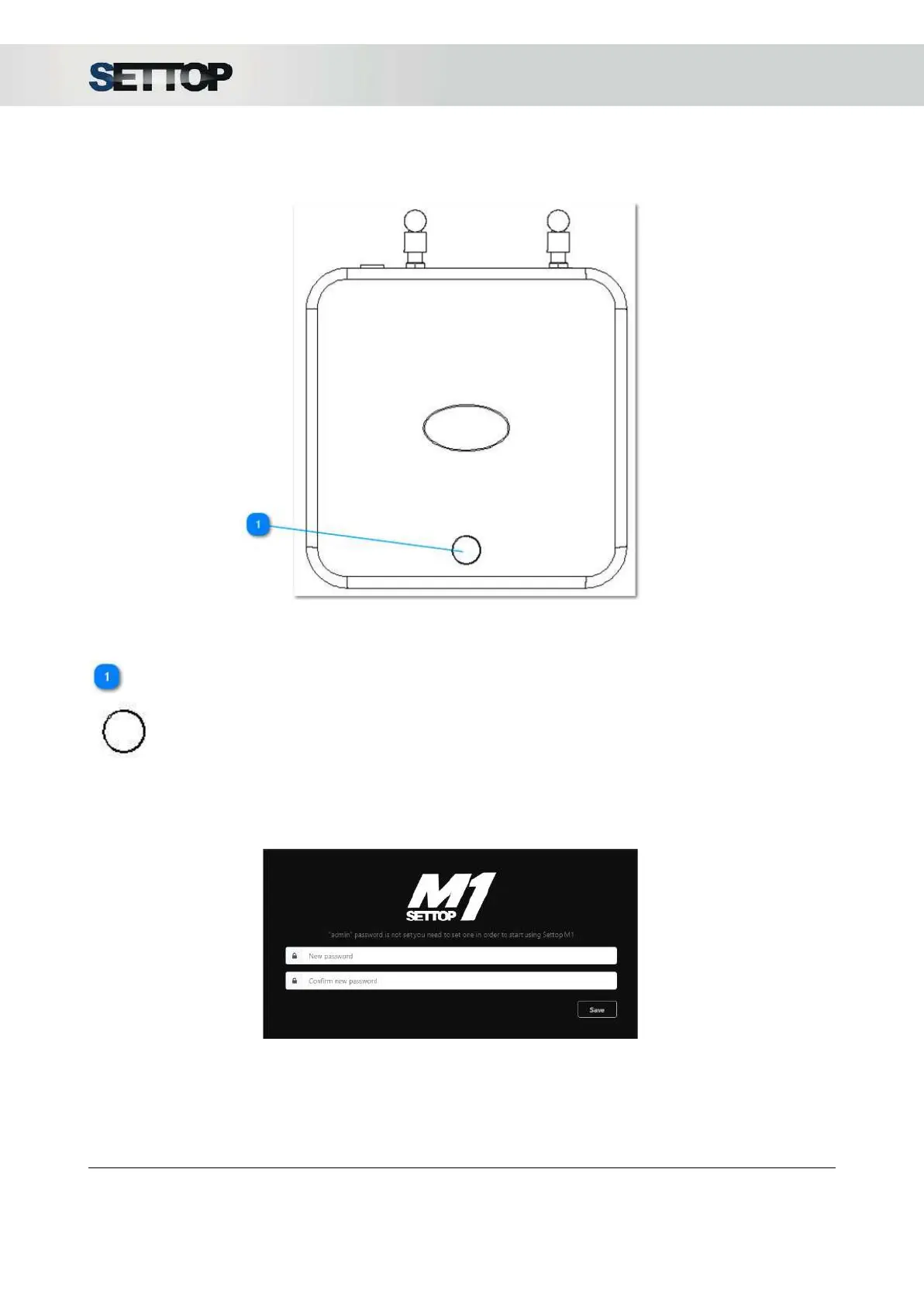
Upper View
ON/OFF Button
1. Turn on the device by pressing the button.
2. Turn off the device by pressing the button for a few seconds, until the leds are flashing fast.
3. Reset password access: press the button 3 times when the device is on. The next time the Settop M1
WebUI is accessed (Shift+F5
), a dialogue box appears to create a new password.
SETTOPSURVEY, S.L. Bofarull 14, 08027 Barcelona (Spain) Phone: (+34) 93 340 05 73 Fax: (+34) 93 351 95 18 www.settopsurvey.com info@settopsurvey.com


 To Next Page