35
SYSTEM
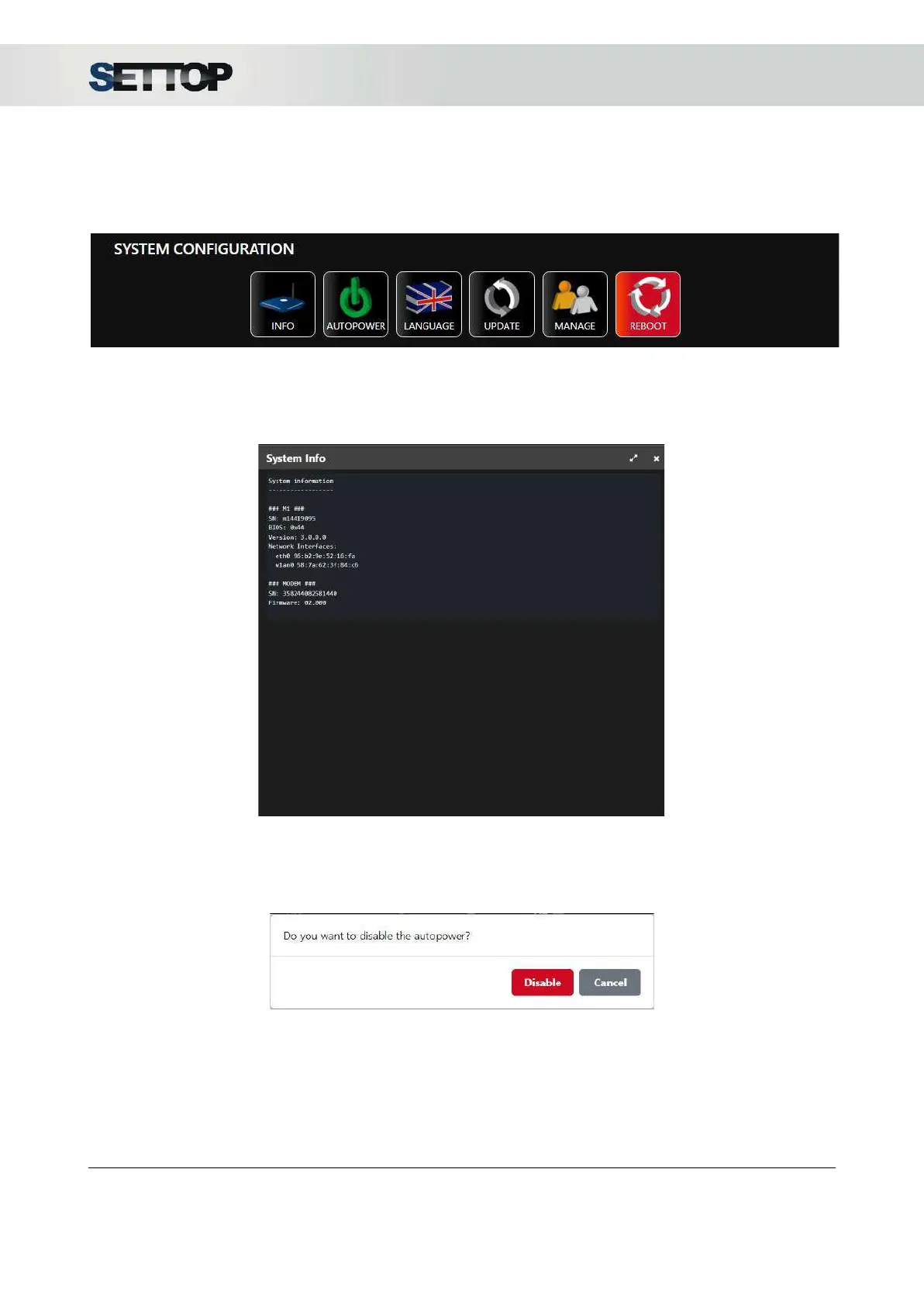
System configuration is shown on the main screen.
Info
By pressing the Info button, it shows Settop M1 and the Modem the device information about serial Number,
BIOS and FW version, etc. It is possible to select the text and paste in an ASCII file
Autopower
If Autopower is set to ON
(default settings), the device will automatically turn on when the power supply is
connected. The button is printed in green.
By clicking on the Autopower button it asks if we want to disable the functionality. When the option Auto
power is set to OFF, the device does not automatically turn on when the power supply is connected. The
button is printed in red.
SETTOPSURVEY, S.L. Bofarull 14, 08027 Barcelona (Spain) Phone: (+34) 93 340 05 73 Fax: (+34) 93 351 95 18 www.settopsurvey.com info@settopsurvey.com


 To Next Page