41
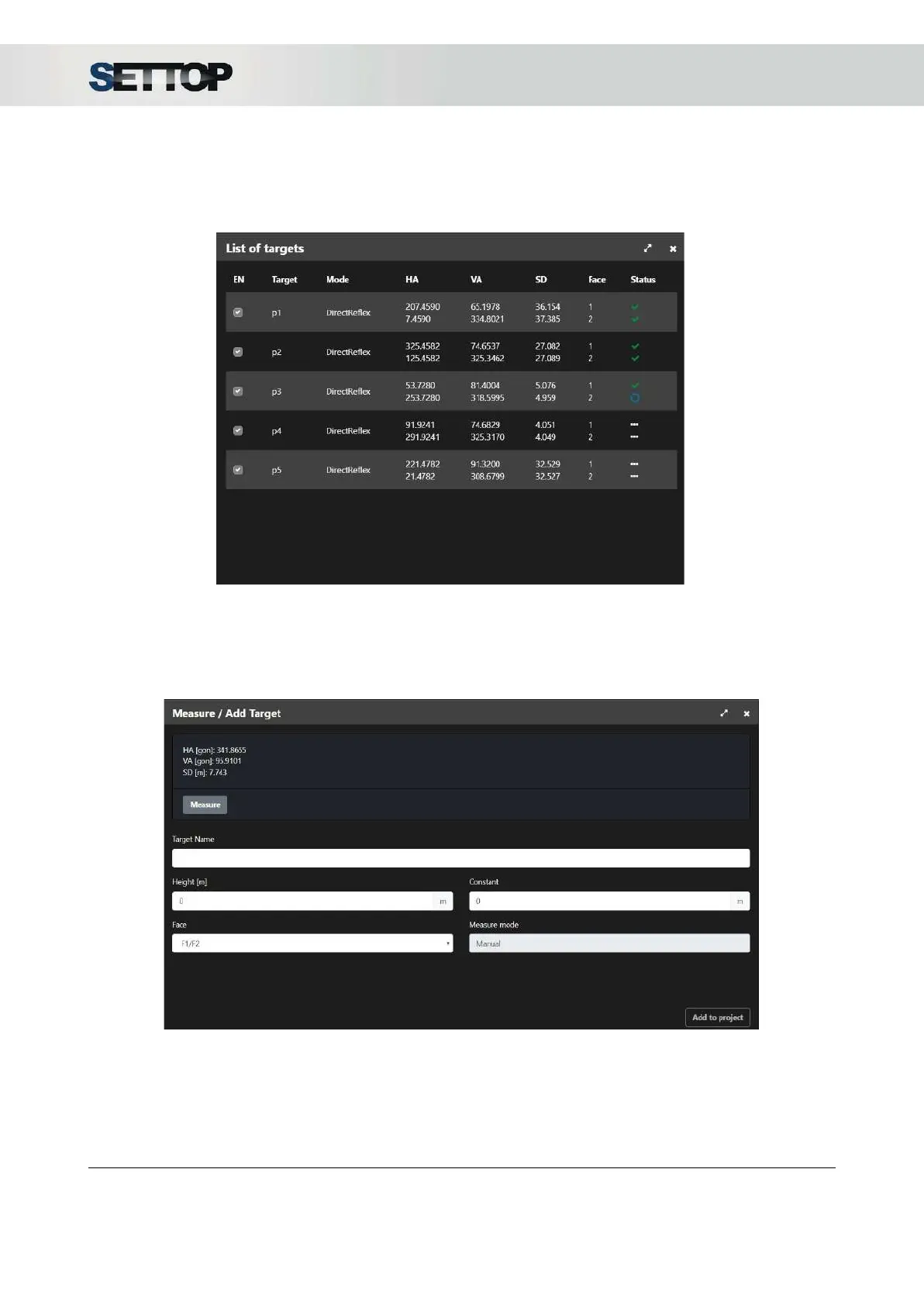
During the monitoring process, if the Targets
button is pressed, the measurement status of the points can
be seen: if it has been measured or if it has not been able to read it, the prism that is currently being
measured and those that remain to be measured.
Add/ Measure
For adding a new target in the project, you need to press Measure/Add Target
, aim to to target and press
Measure
. Fill in all parameters: Name, Height, Constant, Face and Measure Mode.
Finally, press Add to
project
SETTOPSURVEY, S.L. Bofarull 14, 08027 Barcelona (Spain) Phone: (+34) 93 340 05 73 Fax: (+34) 93 351 95 18 www.settopsurvey.com info@settopsurvey.com


 To Next Page