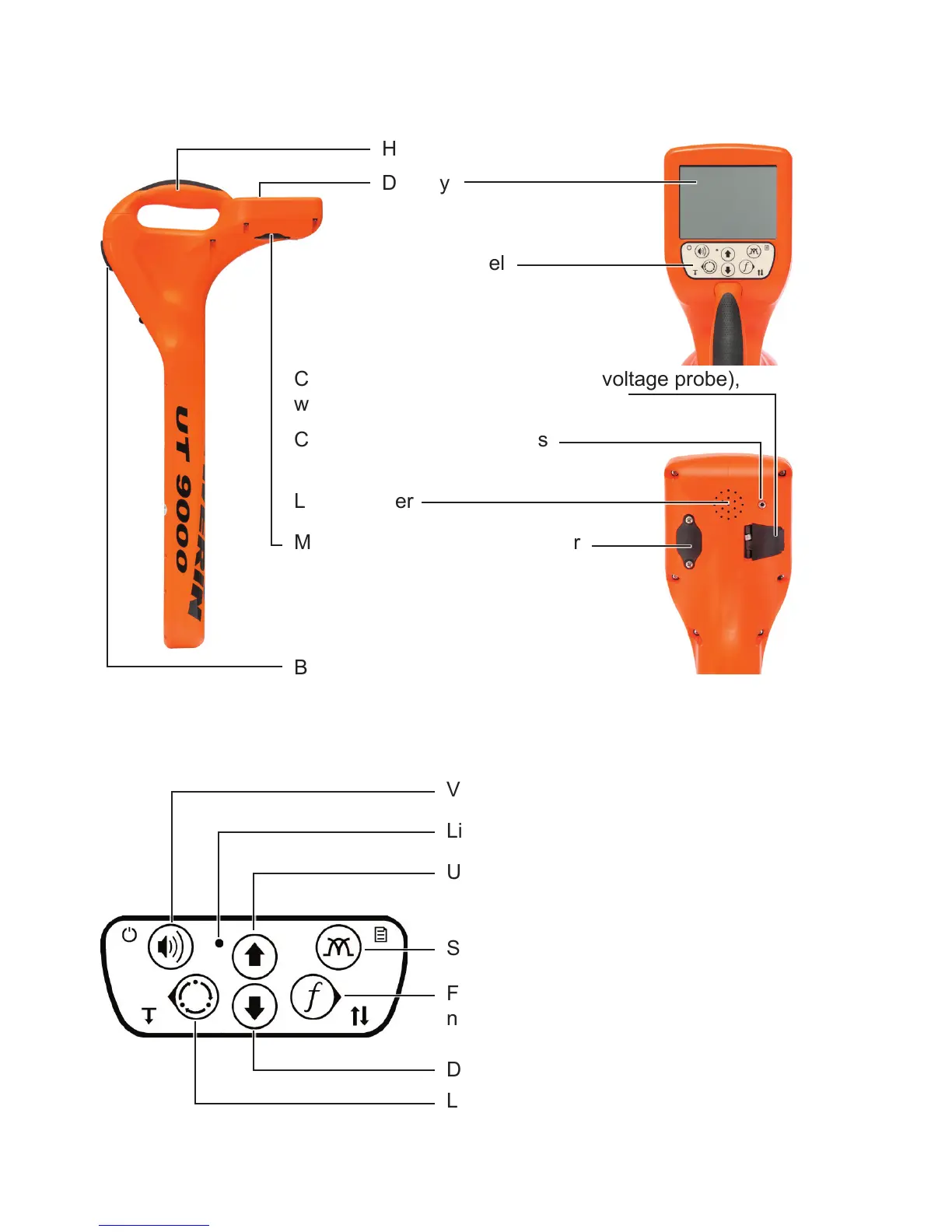
Handle
Display
Control panel
Connection for accessories (step-voltage probe),
with cover
Connection for headphones
Battery compartment
Fig. 1: UT 9000 R receiver
Volume, ON/OFF, measuring mode
Light sensor
Frequency, direction recognition,
next, select
Location type, depth, back
Fig. 2: UT 9000 R receiver control panel (functions of the keys)
Loudspeaker
Mini USB connector, with cover
Up, gain up
Signal behaviour, menu
Down, gain down



 To Next Page