65
7 Passive location
7 Passive location
Passivelocation useselectromagnetic elds that arealready
present on a line to be located. Only the receiver is needed for
location.
The following frequencies can be used for location:
● 50 Hz, 100 Hz, 150 Hz (power line frequency in Europe)
● 60 Hz, 120 Hz, 180 Hz (power line frequency in North
America, etc.)
Note:
SEWERIN recommends determining the ambient noise before
starting the passive location process. For more detailed informa-
tion on ambient noise, please refer to section 5.1 on page 49.
Please note that the results need to be interpreted differently from
the results obtained during active location:
●
in the case of passive location, the frequency with the strongest
signal is the most suitable for location.
1. Switch on the receiver.
2.
Select the location type Current or Radio using the menu
key.
3. Hold the receiver vertically downwards.
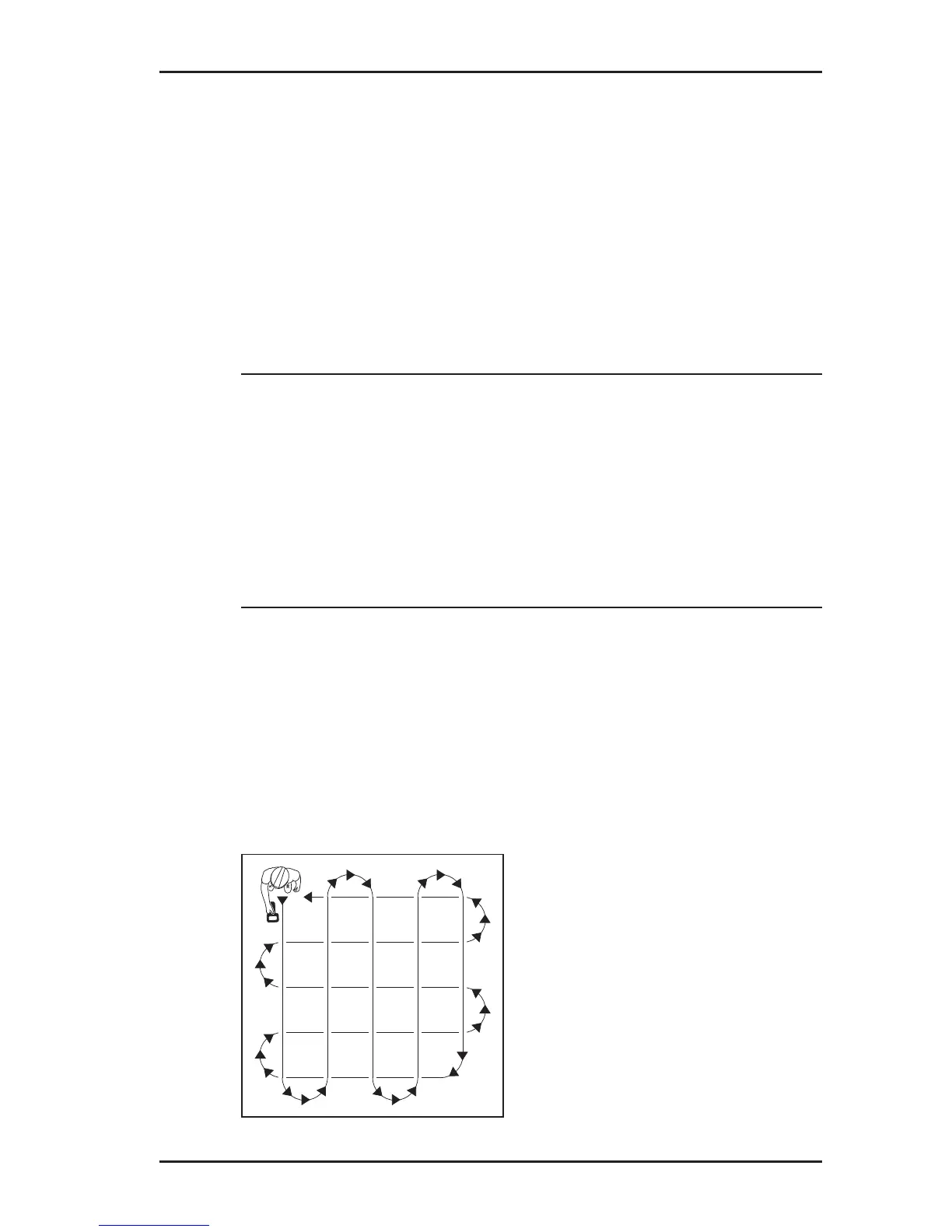
4. Move around the site as shown in Fig. 26.
Fig. 26: Path to follow for passive location



 To Next Page