46
4 Using the UT 9000 system
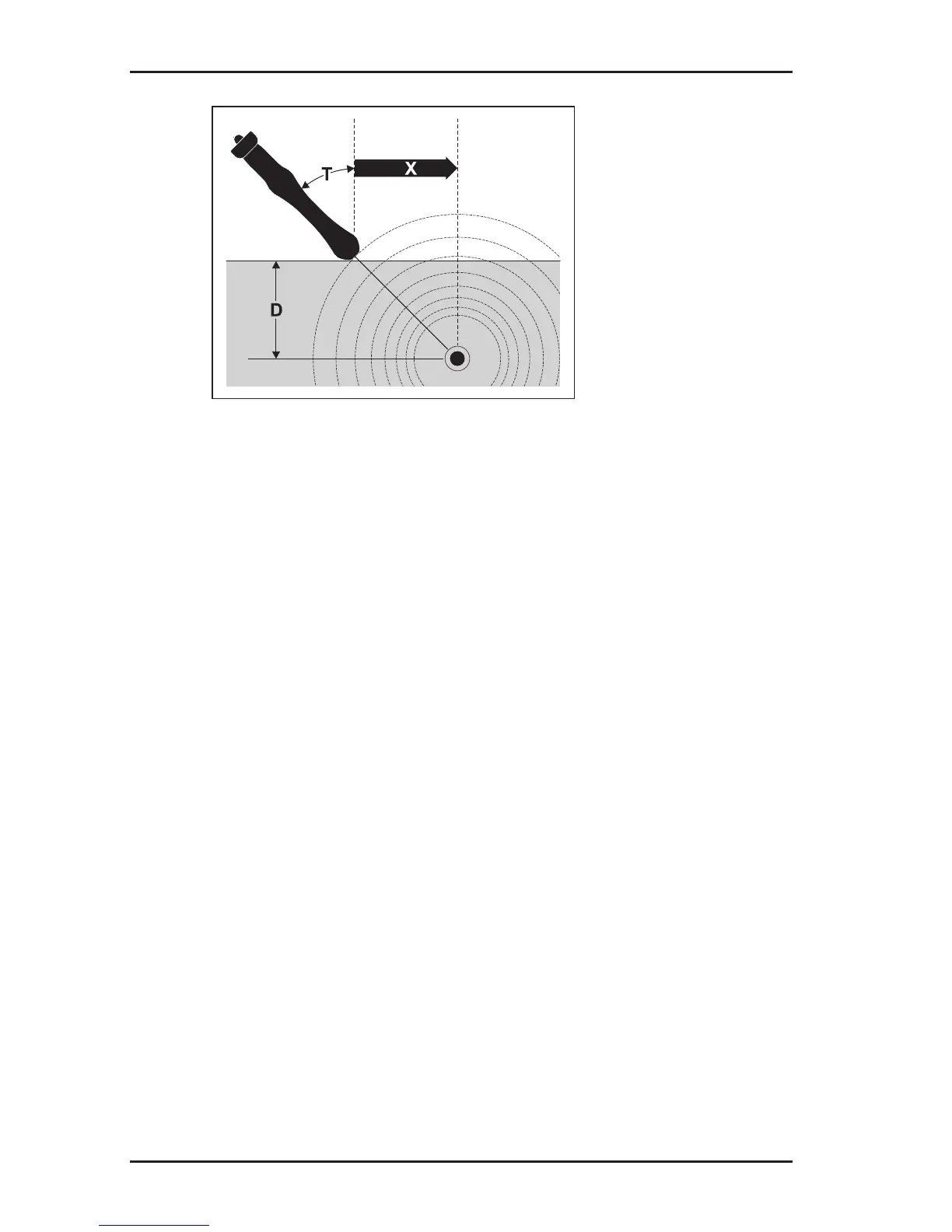
Fig. 18: Determining the offset depth
D depth
X distance receiver – location object
T tilt angle of the receiver
The settings in Options > Autodepth are used to specify wheth-
er the offset depth is displayed automatically or determined man-
ually.
1. Enable the Offset Depth function.
To do so, select the following in the menu: Options > Offset
Depth > On.
2. Locate a line.
3.
Hold the receiver as parallel as possible to the assumed route
of the line.
4. Tilt the receiver to an angle T of between 10° – 60° (Fig. 18).
5. Once directional arrows appear on the screen:
−
move the receiver according to the directional arrows
shown.
− while doing so, vary the tilt angle of the receiver.
The directional arrows change into a diamond once the re-
ceiver is in an optimum position.
6. The values for the depth and distance are now shown
− automatically if automatic depth measurement is set
−
upon pressing the depth key if manual depth measurement
is set



 To Next Page