15
Configuring the device
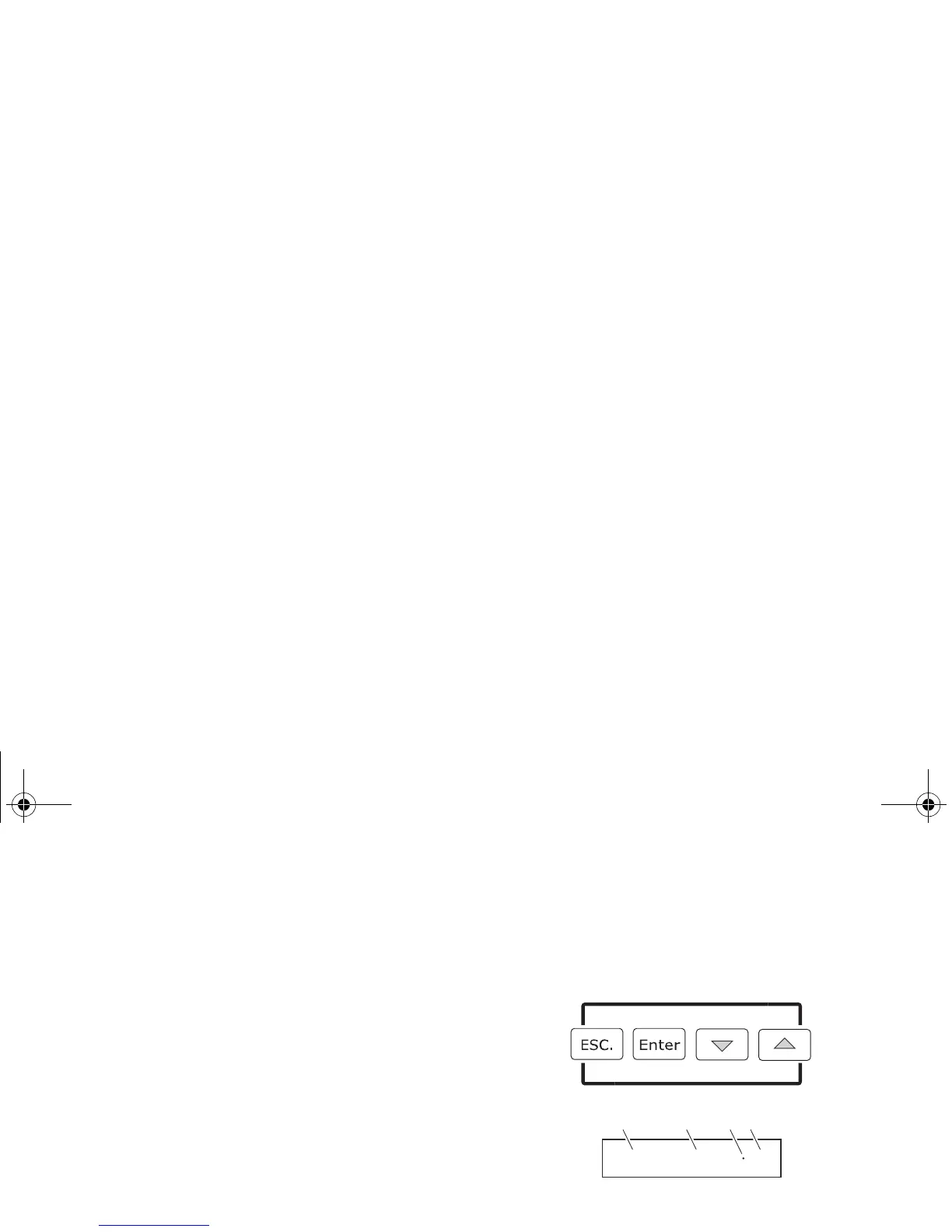
Set up the device using the control panel and OLED display at the
top of the device.
Navigate the menus and options using the arrow buttons and
select items using the Enter button. The options available are
listed in “Control menu” on page 39.
After powering the P-2 on, the display shows the
currently selected operating mode and other information.
A - Operational mode
B - DMX address
C - External data indicator (if DMX control is active)
D - External data protocol (DMX)
The device is set by default to be controlled in DMX mode.
P2 Manual_170x113,3.book Page 15 Wednesday, January 7, 2015 11:47 AM


 To Next Page