17
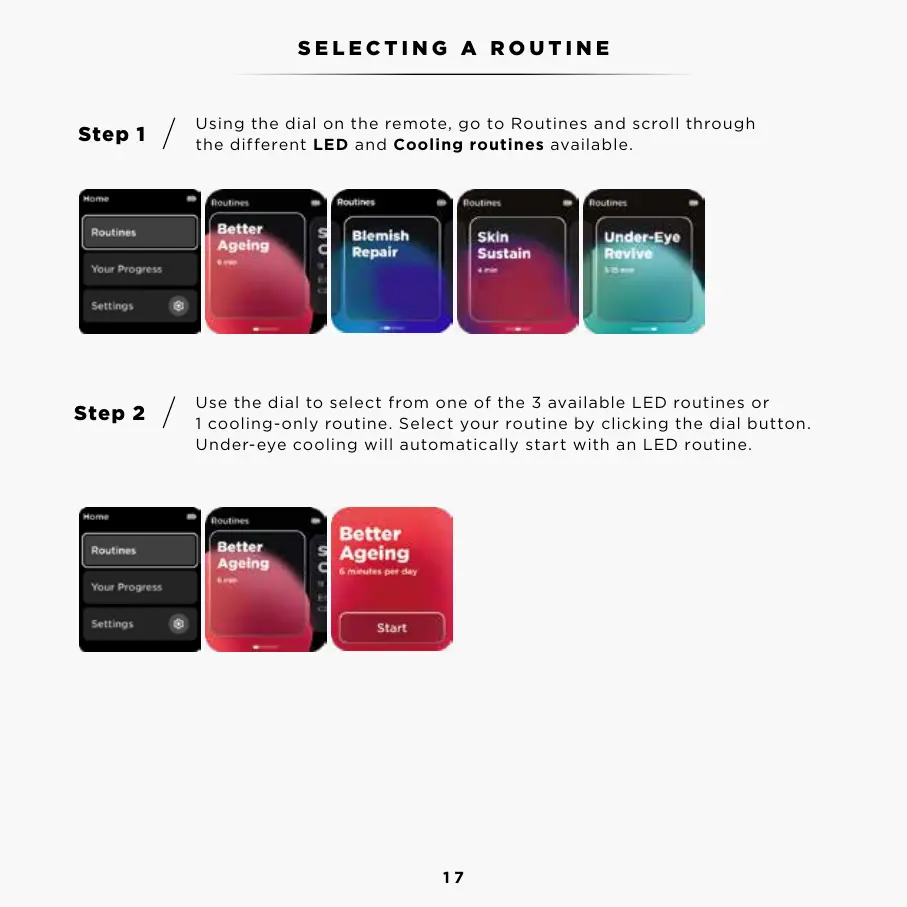
Using the dial on the remote, go to Routines and scroll through
the different LED and Cooling routines available.
Use the dial to select from one of the 3 available LED routines or
1 cooling-only routine. Select your routine by clicking the dial button.
Under-eye cooling will automatically start with an LED routine.
Step 1
Step 2
SELECTING A ROUTINE



 To Next Page