22
Remote settings
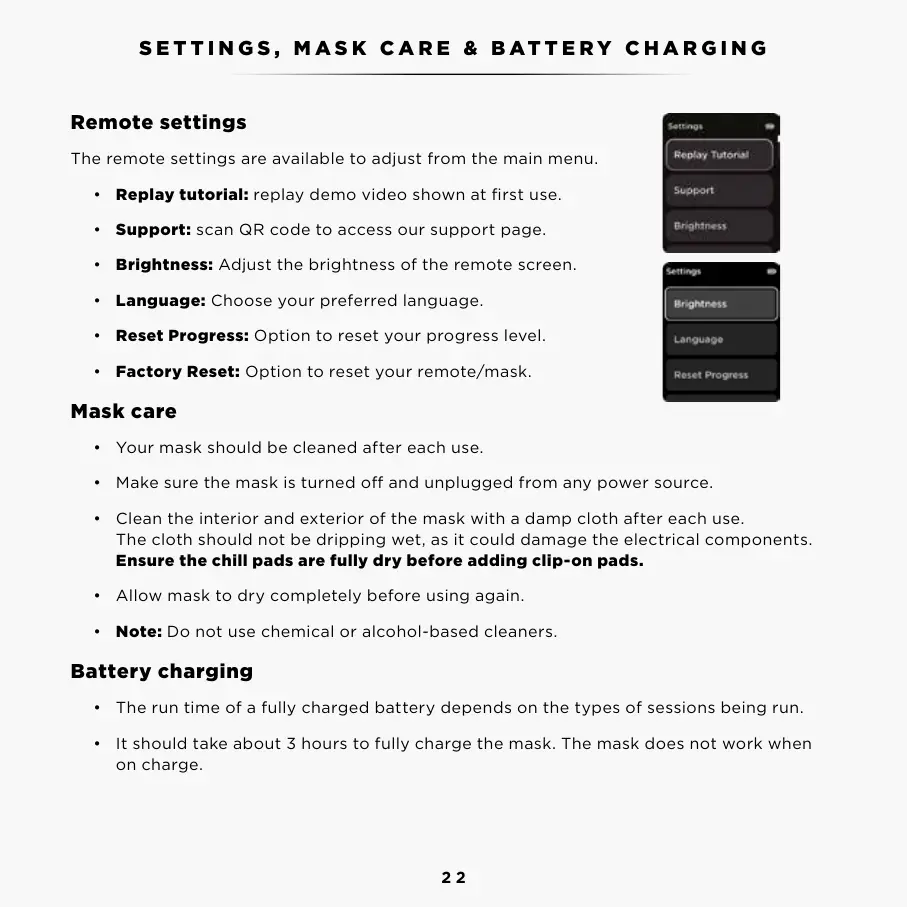
The remote settings are available to adjust from the main menu.
• Replay tutorial: replay demo video shown at first use.
• Support: scan QR code to access our support page.
• Brightness: Adjust the brightness of the remote screen.
• Language: Choose your preferred language.
• Reset Progress: Option to reset your progress level.
• Factory Reset: Option to reset your remote/mask.
Mask care
• Your mask should be cleaned after each use.
• Make sure the mask is turned o and unplugged from any power source.
• Clean the interior and exterior of the mask with a damp cloth after each use.
The cloth should not be dripping wet, as it could damage the electrical components.
Ensure the chill pads are fully dry before adding clip-on pads.
• Allow mask to dry completely before using again.
• Note: Do not use chemical or alcohol-based cleaners.
Battery charging
• The run time of a fully charged battery depends on the types of sessions being run.
• It should take about 3 hours to fully charge the mask. The mask does not work when
on charge.
SETTINGS, MASK CARE & BATTERY CHARGING FAQ
To see our full list of FAQ’s please visit sharkbeauty.co.uk



 To Next Page