19
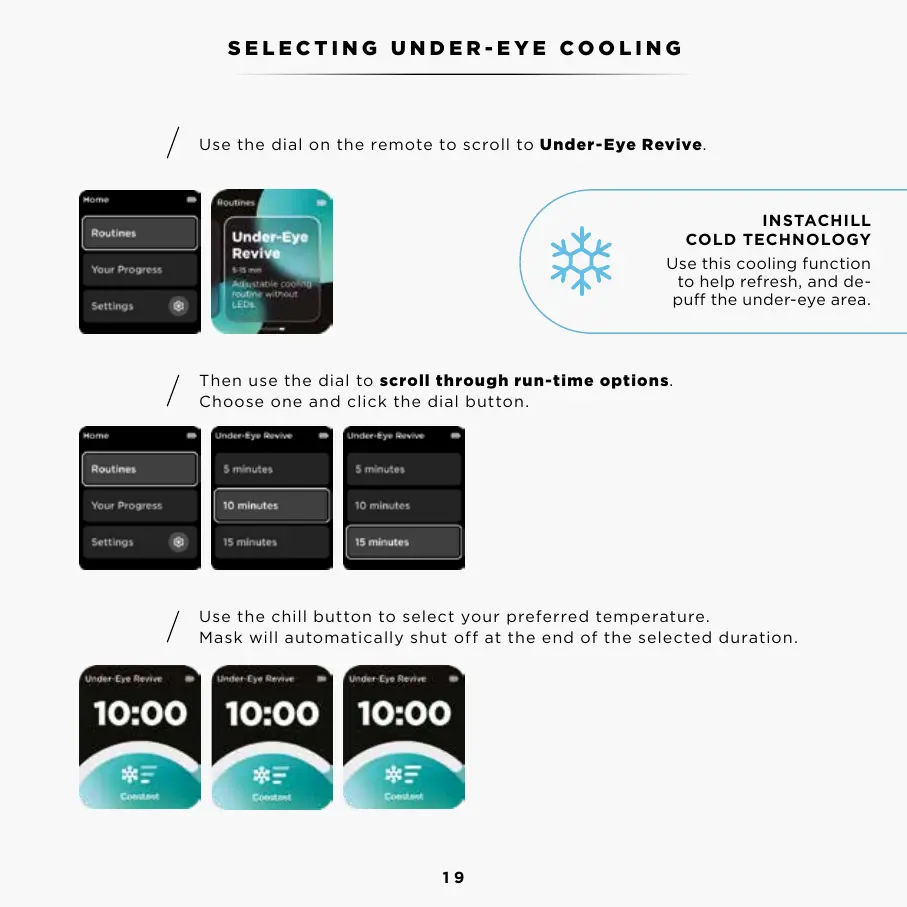
Use the dial on the remote to scroll to Under-Eye Revive.
Then use the dial to scroll through run-time options.
Choose one and click the dial button.
Use the chill button to select your preferred temperature.
Mask will automatically shut off at the end of the selected duration.
INSTACHILL
COLD TECHNOLOGY
Use this cooling function
to help refresh, and de-
pu the under-eye area.
SELECTING UNDER-EYE COOLING
Step 1
Step 2
Step 3



 To Next Page