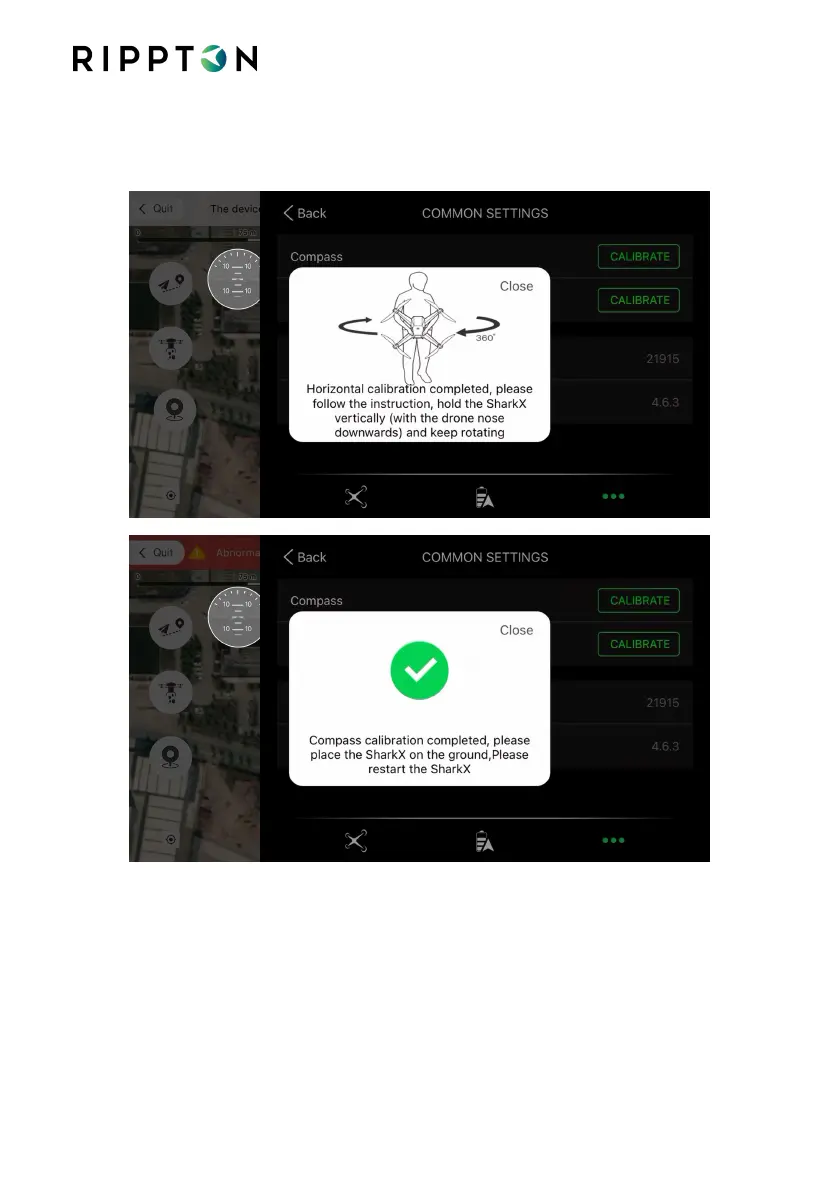
Step 3: Following the voice prompt, hold the drone horizontally with its nose outwards
and complete the horizontal calibration. And then hold the drone vertically with
its nose downwards and complete the compass calibration.
Notice calibrate the compass when there are no less than 15 satellites
After successful calibration please place Shark X on a flat surface and switch the drone
OFF and then Back ON to “save” the calibration.


 To Next Page