4.10.Return & Land the SharkX Manually via Controller
4.10.1.Use the joysticks to return the SharkX to the desired landing spot.
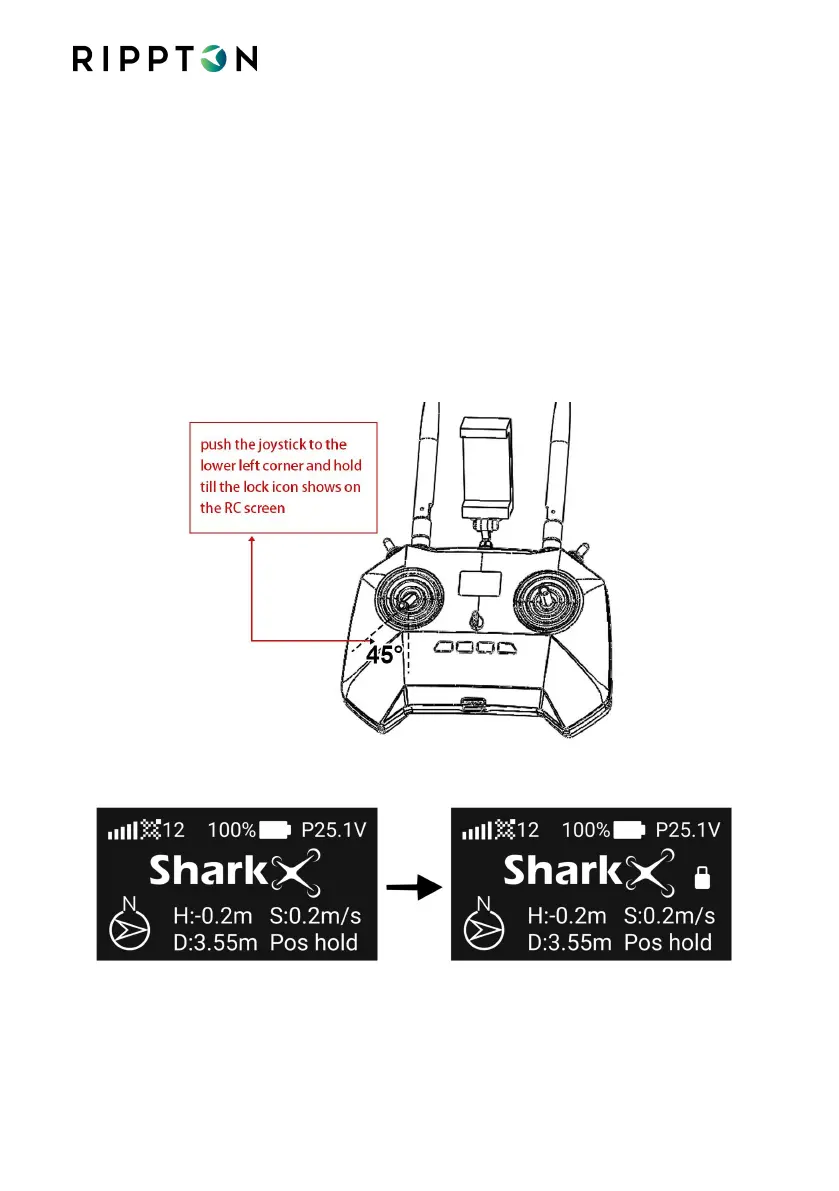
4.10.2.Push the left joystick down gently. The SharkX will descend to the height of 5
meters and hover a short while before landing safely on the ground. And then
push the left joystick to the lower left corner and hold until the controller beeps,
the lock icon shows on the controller screen and all propellers stop rotating,
which means the SharkX has been locked.
Notice pushing the left joystick down and holding can also lock the drone.


 To Next Page