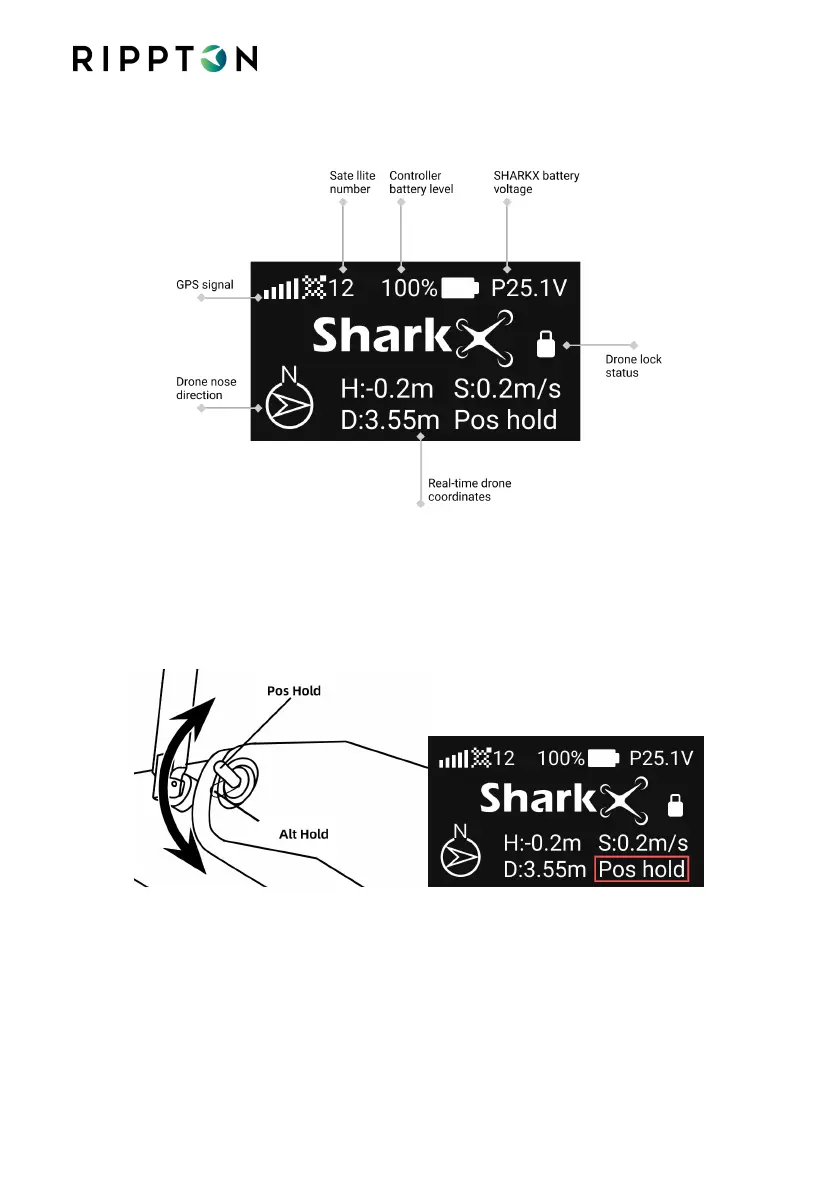
4.7. Controller Interface
4.8. Take off the SharkX via the Controller
4.8.1. Switch the flight mode to Pos Hold
It’s recommended to set the drone on Pos Hold mode at all times. Alt Hold
mode is for professional drone pilot only.
Notice when both joysticks are centered, if on Pos Hold mode, the drone will hover at
the current position, and if on Alt Hold mode, the drone might get pushed away from
the current position by wind.


 To Next Page