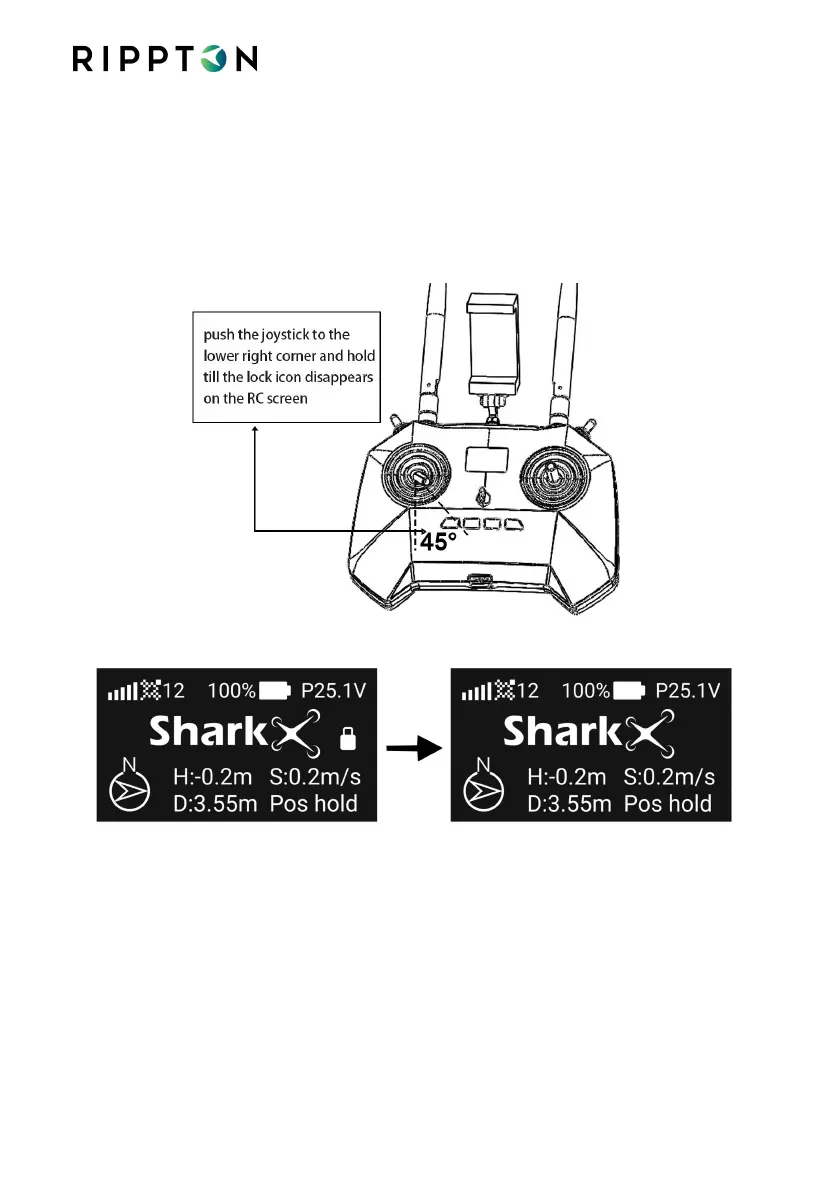
4.8.2. Unlock the SharkX
Push the left joystick to the lower right corner and hold until the controller
beeps, the lock icon disappears on the controller screen and then all propellers
start rotating, which means the drone has been unlocked. Slowly push the left
joystick back to the center and the SharkX is ready to take off.
Notice the location where the SharkX gets unlocked will be the HOME point


 To Next Page