SharkRack Enclosure Installation Guide
ID-00210-000 REV D, ECO2773 Page 30 of 46
Installing a Typical 19 inch EIA Power Strip (cont.)
Step Detail
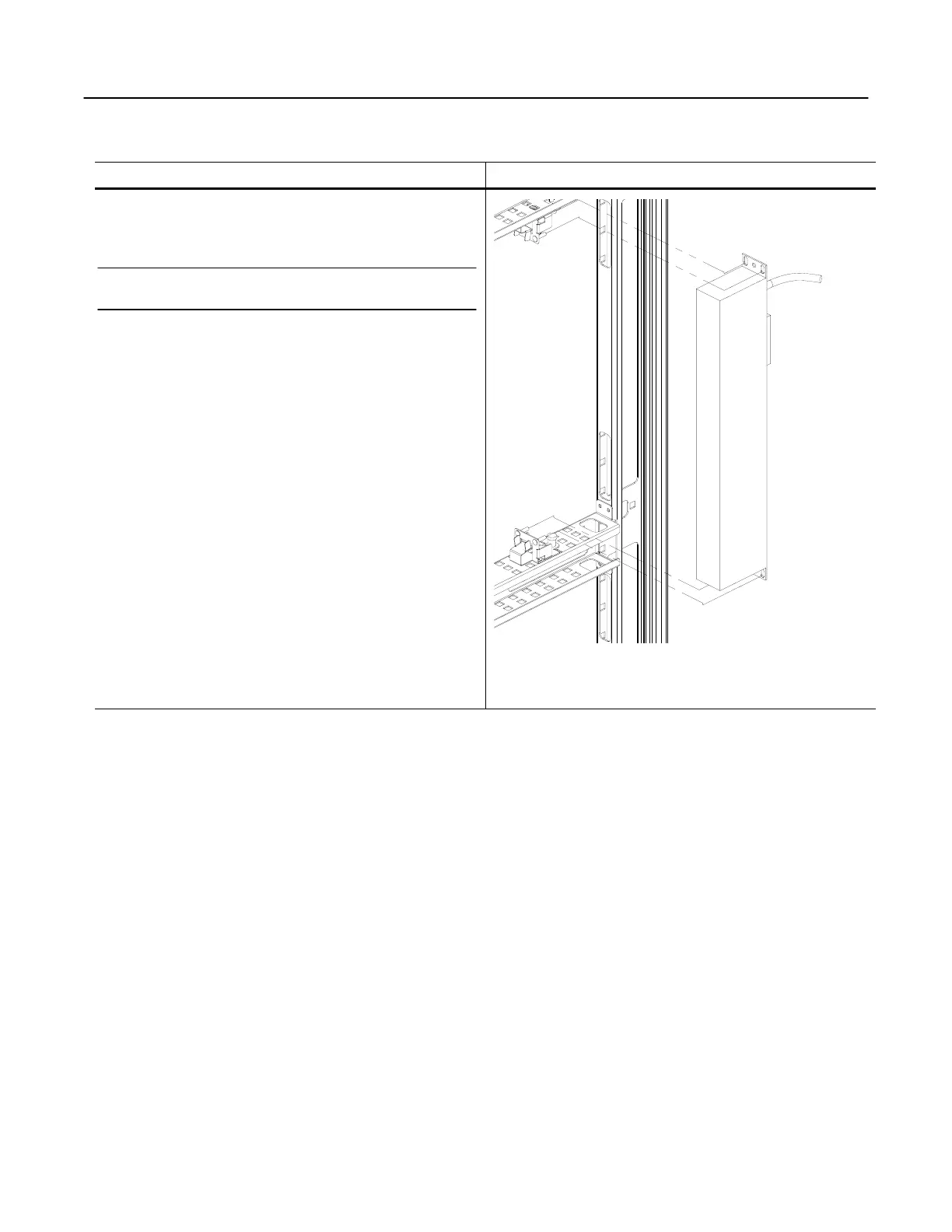
2. Secure to the SharkTRAC™ using
SharkSNAP™ Brackets
Note: There must be two SharkSNAP™ brackets installed
which allows a power strip to clip in-between them.
2a. Install a pair of SharkSNAP™ brackets into the
SharkTRAC™. See “Using the SharkTRAC™ and
SharkSNAP™ on page 28 for further details.
2b. Approach the SharkSNAP™ brackets with the power
strip. Align the pins of the SharkSNAP™ bracket with
the screw holes on the strip mounting brackets and push
the strip straight onto the bracket. There is a spring that
holds the strip into place.
2c. Connect necessary cables.
Figure 33


 To Next Page