SharkRack Enclosure Installation Guide
ID-00210-000 REV D, ECO2773 Page 33 of 46
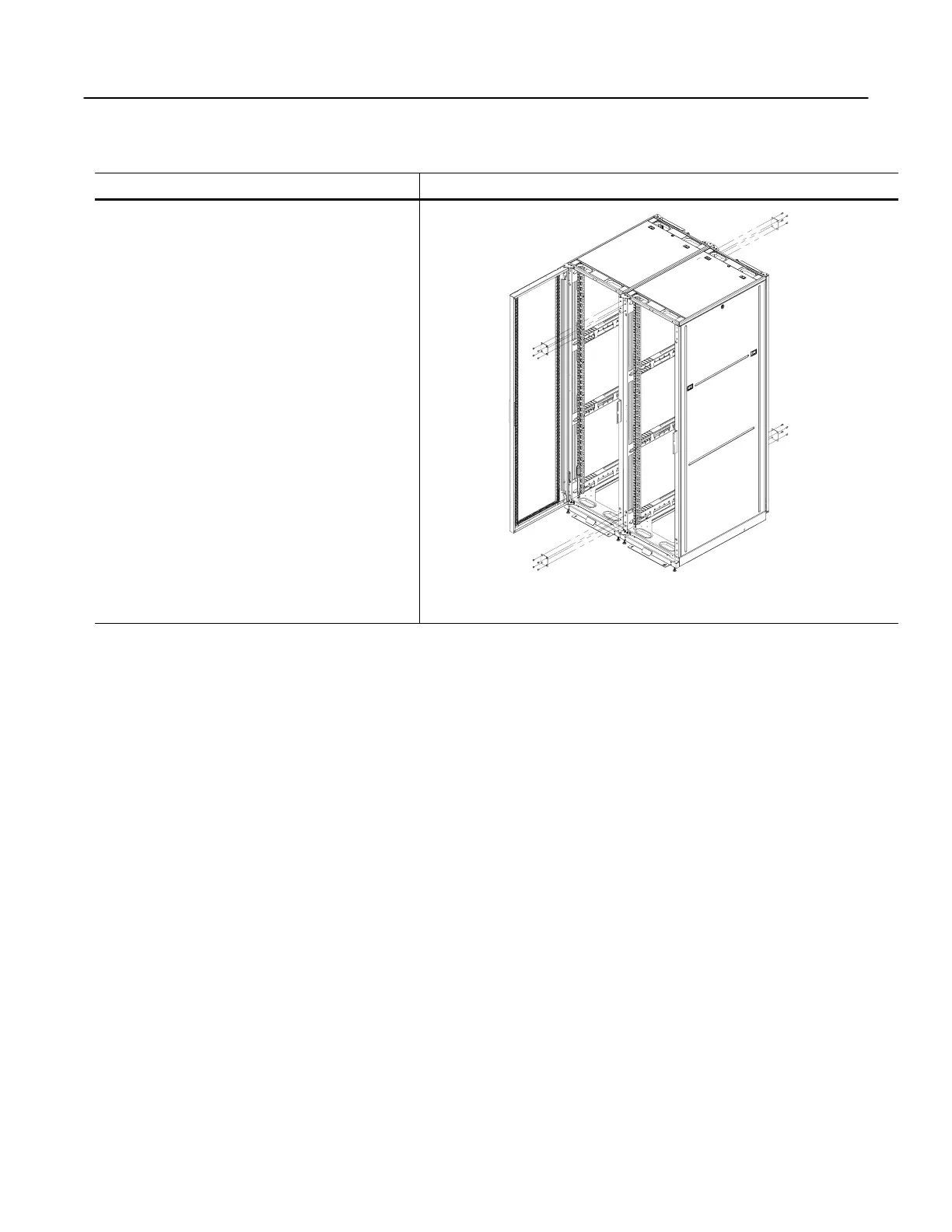
Installing a MultiBay Kit
Step Detail
MultiBay kits are used to group two or more
SharkRack cabinets together. MultiBay kits can
be installed prior to installing computer
equipment into the rack cabinet or after
equipment is already loaded.
(Optional) Remove the two side panels facing
each other from the two cabinets being bayed
together. See “How to Remove or Install Side
Panels” on page 26.
1. Move the two cabinets together.
2. As necessary, adjust the leveling feet until the
cabinets are level and square to each other.
3. Secure the (4) MultiBay plates to the cabinets
using (4) M6 screws in each plate
Figure 38
MultiBay Kit


 To Next Page