17
Web-site: www.sharp.co.uk/support Help Line (office hours only): 0990-274277
ENGLISH
NOTE
Child Lock (Channel Block)
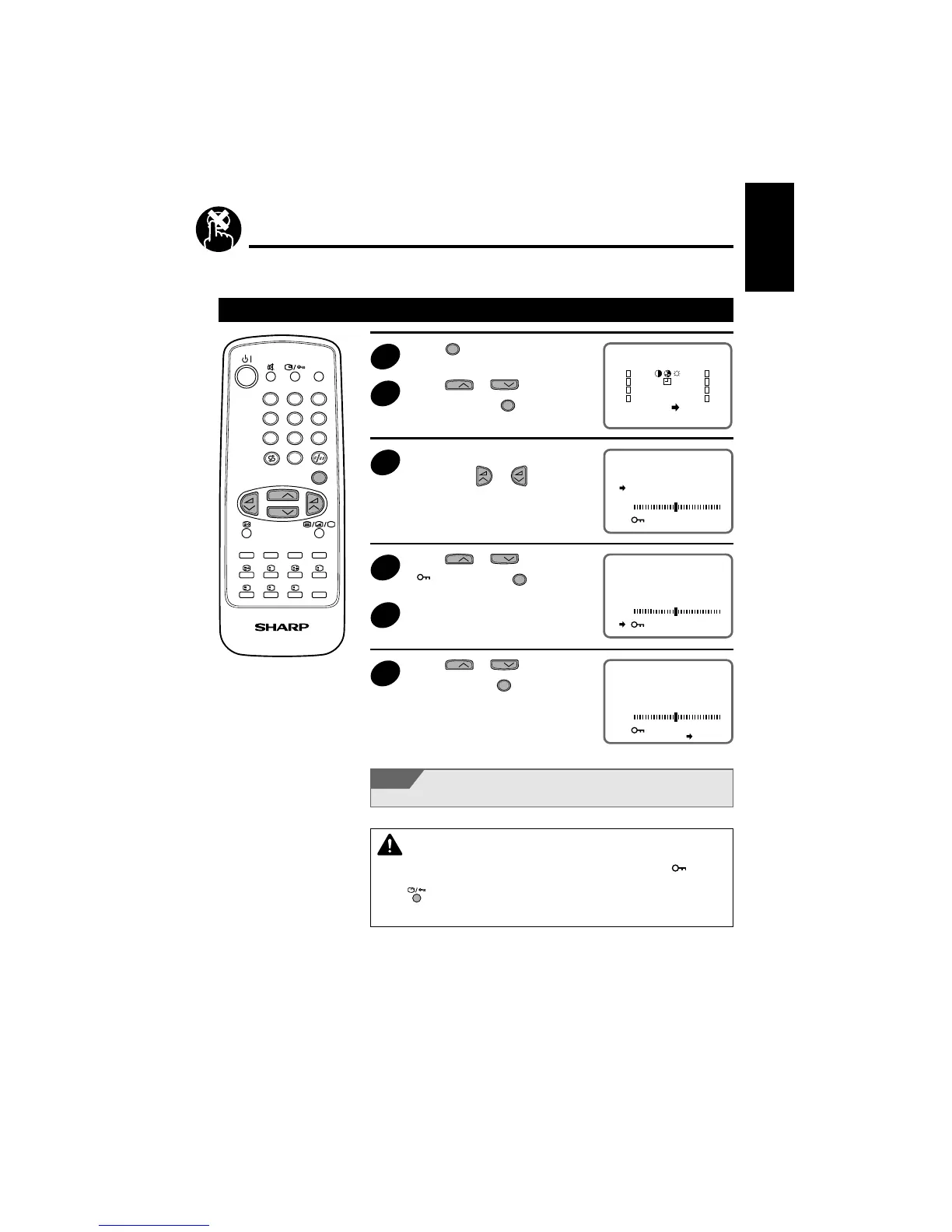
You can lock a TV channel to prevent unsupervised TV viewing by following these procedures:
Setting Child Lock
1
Press
MENU
to call the MAIN menu
screen.
2
Press
CH
or
CH
to select
“<PR>” and press
MENU
.
3
Select the programme you want
to lock using
or . (You
can also select the programme
using the 0~9 digit buttons.)
4
Press
CH
or
CH
to select
“
ON” then press
MENU
.
5
Repeat steps 2~3 if you wish to
lock other programme.
6
Press
CH
or
CH
to select
“EXIT” and press
MENU
.
You can also block the SCART connection.
CAUTION
• When you select a locked channel, the TV picture will be blue and the mark “ ” appears
on the screen.
• Press
to unlock the channel.
• Since the remote control is the “Key” to unlock TV channel you must remember not to let
the remote control out of your supervision.
1 2 3
4 5 6
7 8 9
0
LIST
MENU
?
XiS
I
TV/VIDEO
TV/TEXT REMOTE CONTROL
CH
CH
EXIT
SORT
<PR>
PR1 CH1
SKIP OFF
FINE
OFF
EXIT
SYS D/K
PR1 CH1
SKIP OFF
FINE
ON
EXIT
SYS D/K
PR1 CH1
SKIP OFF
FINE
ON
EXIT
SYS D/K



 To Next Page