12
2
Installation
INSTALLING THE TD CARTRIDGE
1
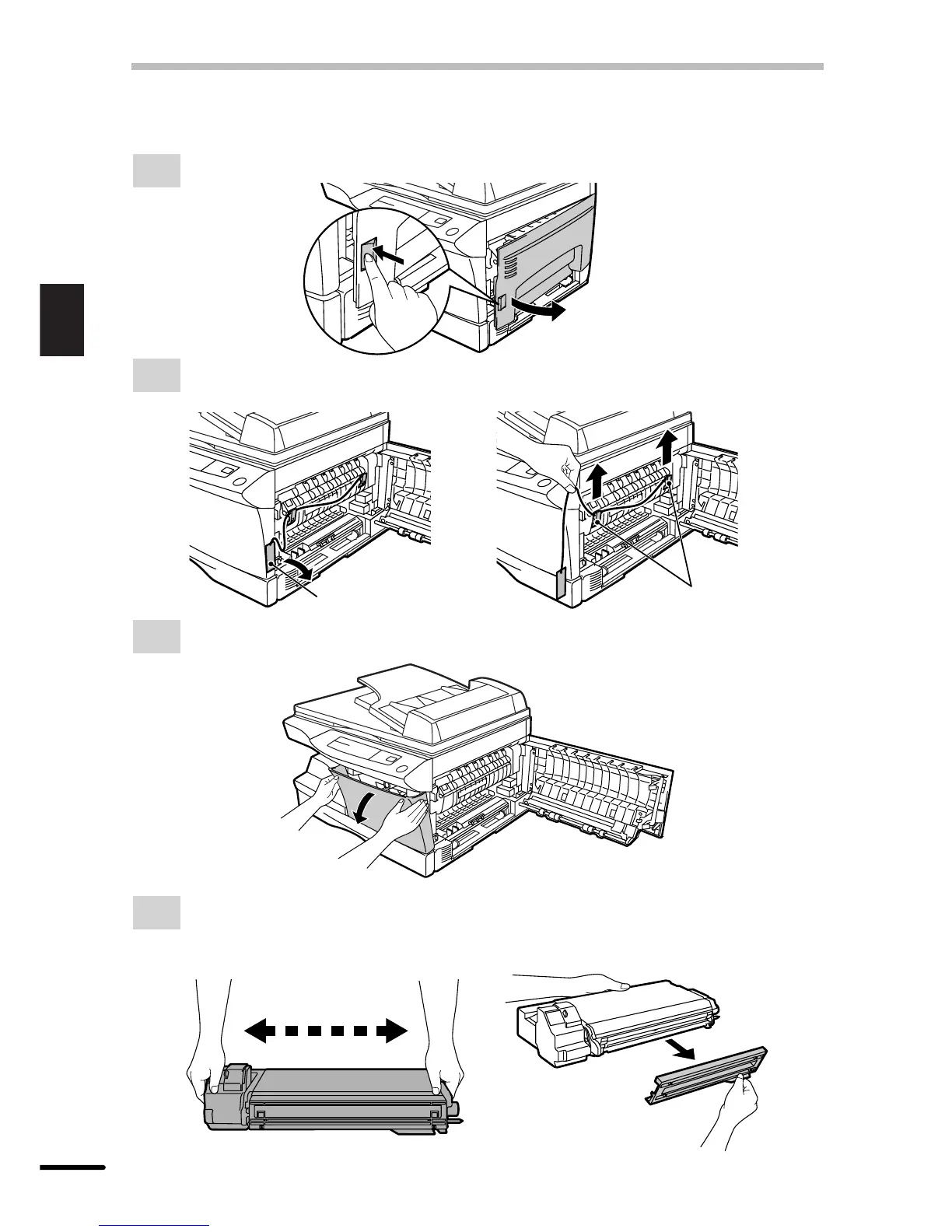
Open the side cover while pressing the side cover open button.
2
Remove the CAUTION tape from the front cover and remove the two protective pins
from the fusing unit by pulling the strings upward one at a time.
Protective pins
CAUTION tape
3
Push gently on both sides of the front cover to open the cover.
4
Remove the TD cartridge from the bag. Remove the protective paper. Hold the cartridge
on both sides and shake it horizontally four or five times.
Hold the tab of the protective cover and pull the tab to your side to remove the cover.
4 or 5 times



 To Next Page