13
2
Installation
INSTALLING THE TD CARTRIDGE
5
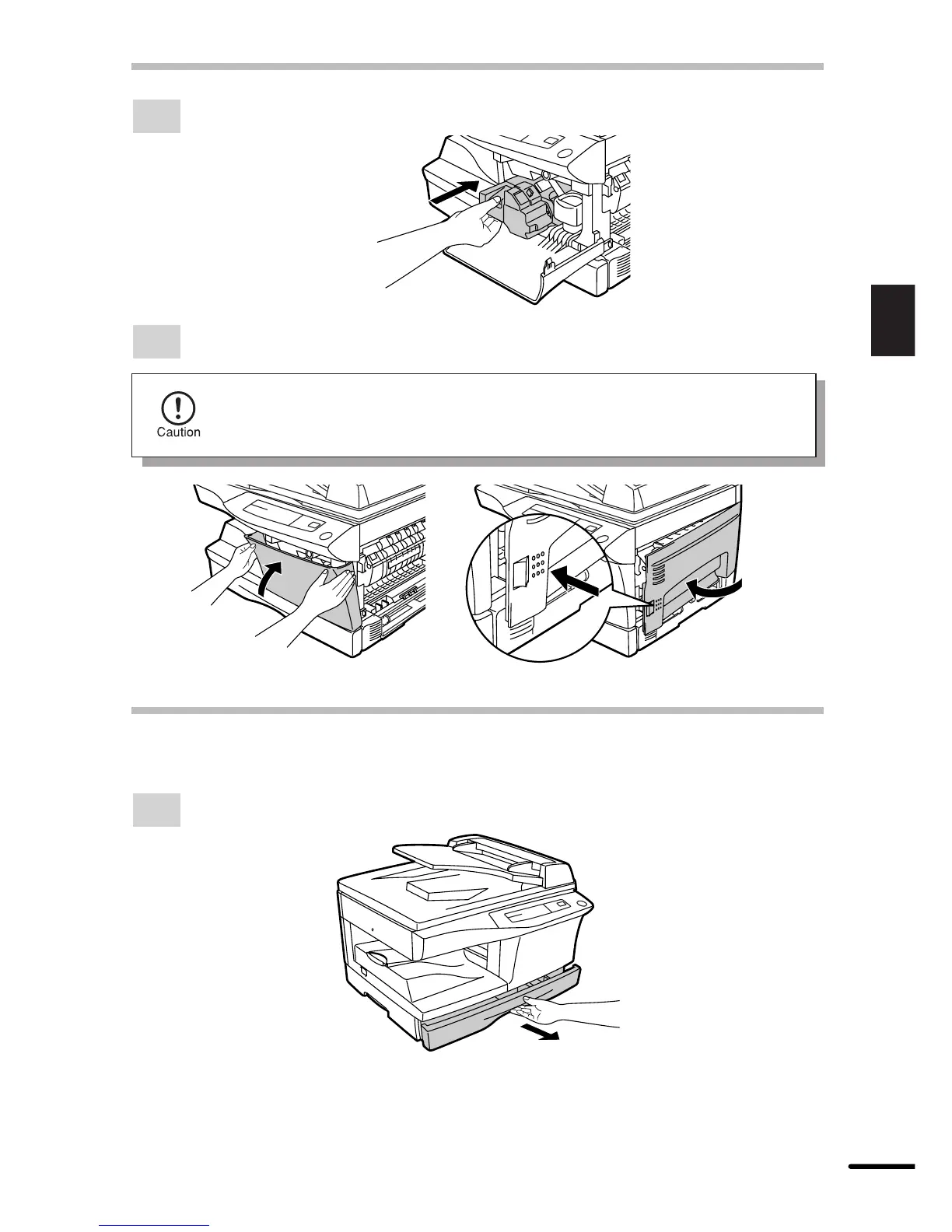
Gently insert the TD cartridge until it locks in place.
6
Close the front cover and then the side cover by pressing the round projections near
the side cover open button.
When closing the covers, be sure to close the front cover securely and then
close the side cover. If the covers are closed in the wrong order, the covers
may be damaged.
LOADING COPY PAPER (installing the paper tray)
1
Raise the handle of the paper tray and pull the paper tray out until it stops.



 To Next Page