37
6
Copier trouble?
MISFEED REMOVAL
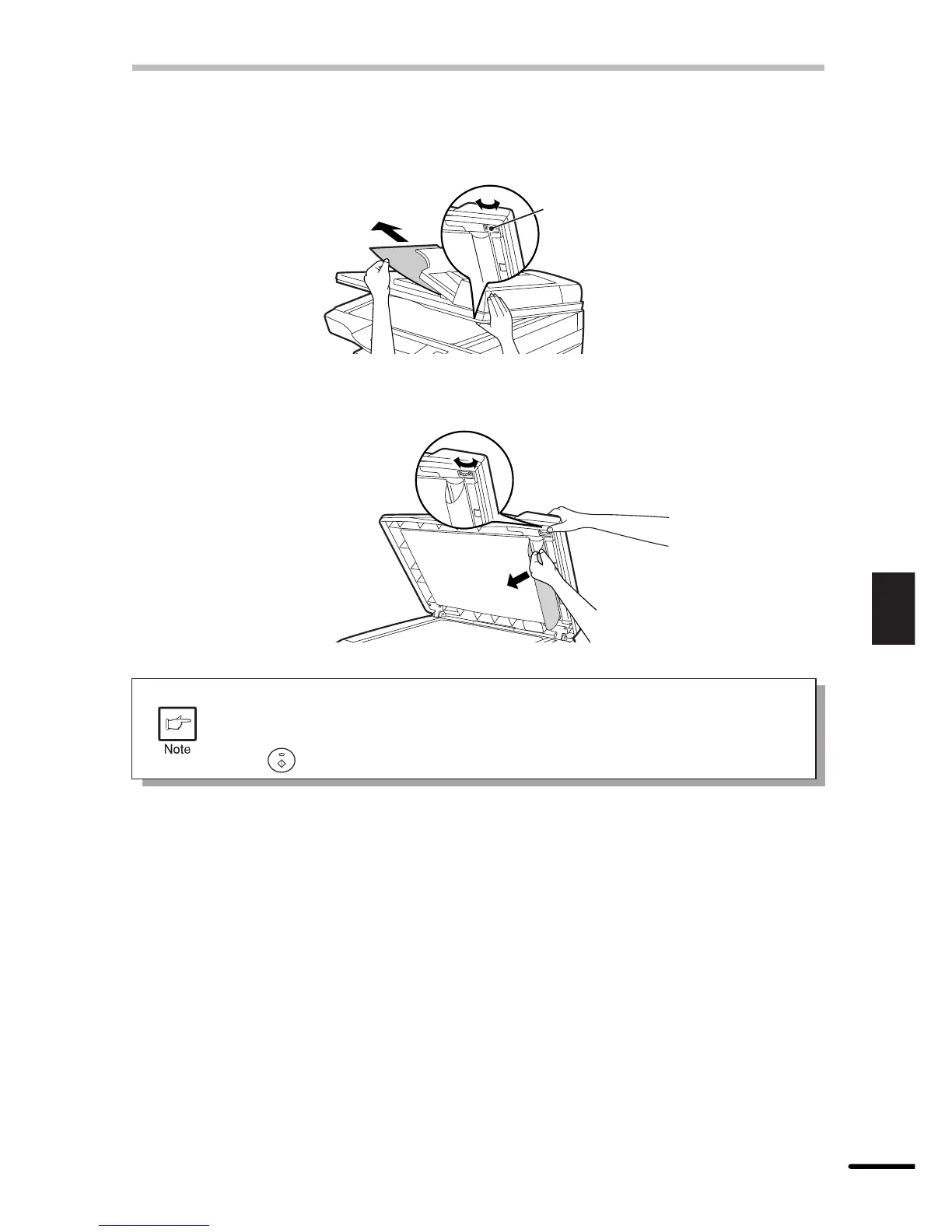
(B) Open the original cover and rotate the roller rotating knob to remove the misfed original
from the exit area.
If the misfed original cannot be easily removed, proceed to (C) under the feeding roller
without pulling the original forcibly.
Roller rotating knob
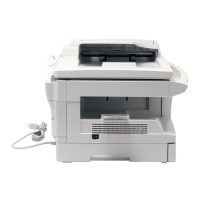
(C) Open the original cover and rotate the roller rotating knob to remove the misfed original
from the document feeder tray or exit area. If it is difficult, remove the misfed original from
under the feeding roller.
A number may appear in the display after a minus sign, indicating the number
of the originals that must be returned to the document feeder tray.
Clear the misfeed and return the required number of originals. Then press the
print ( ) key to resume copying.



 To Next Page