AR-203E/5420/M200/M201 FIRMWARE DOWNLOAD PROCEDURES 14 - 5
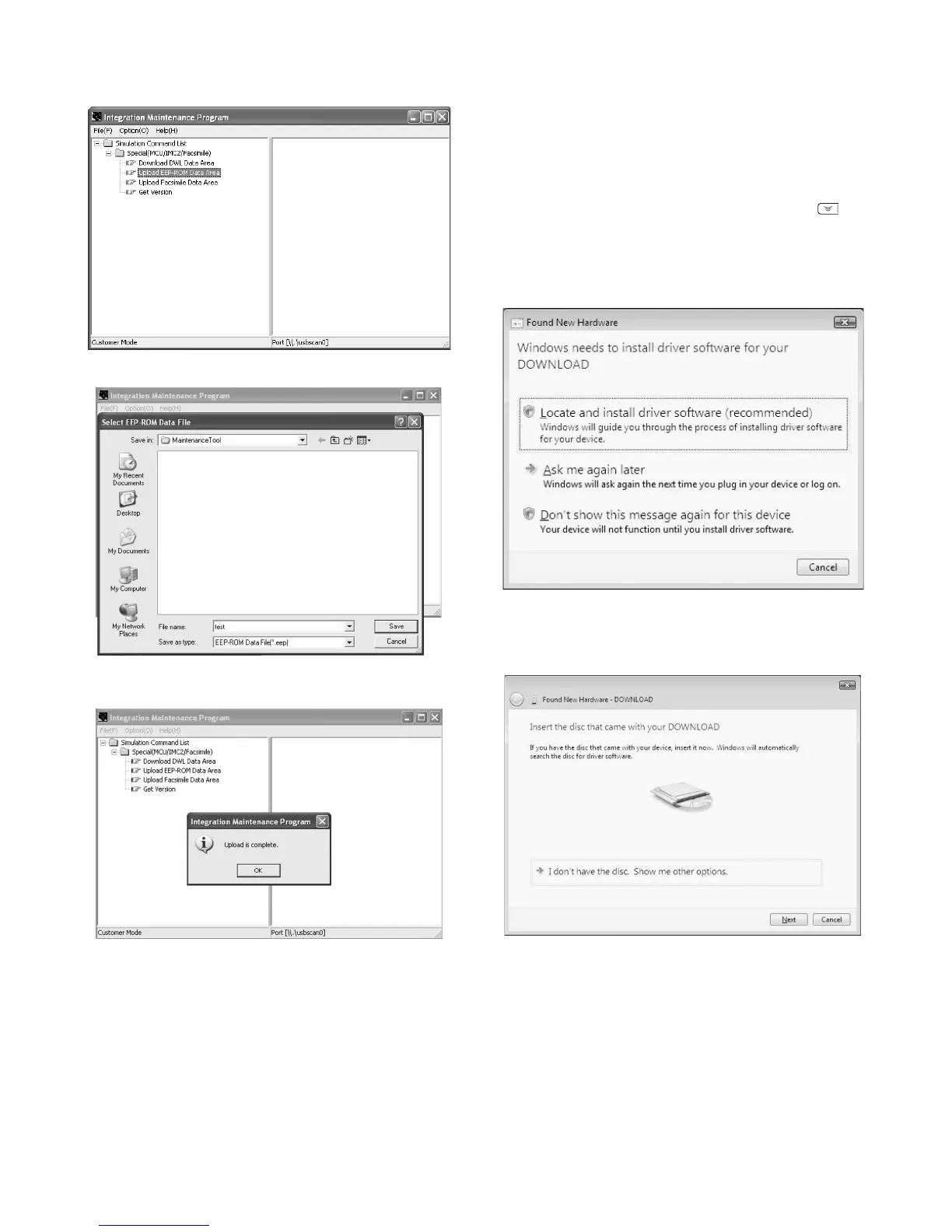
7) PC side: Double-click "Special (MCU/IMC2/Facsimile)" to
develop its sub trees, and select "Upload EEPROM Data
Area" in the sub trees.
8) PC side: Enter a desired file name, and select "Save."
9) PC side: When upload is completed, the complete message is
displayed.
With the above procedure, the EEPROM data acquisition is com-
pleted.
Data acquired by the EEPROM data acquisition procedure are
saved in a file with extension of .eep.
5. Installing procedures
<USB integration maintenance program installation>
Driver installation is made on plug-and-play.
<Installation on Windows Vista>
1) Main unit side: Execute simulation No. 49-01 (Flash ROM pro-
gram write mode).
Check that "d" is displayed (or "DOWNLOAD MODE" is dis-
played for the AR-M200/M201) on the operation panel. (Press
and hold [Clear] key and [ZOOM DOWN] key ( ) (or
[ZOOM]/[COPY RATIO] key for the AR-M200/M201) together,
and turn on the power simultaneously.)
2) Connect the machine and the PC with a USB cable.
3) The [Found New Hardware] display is shown as below. Select
[Locate and install driver software (recommended)].
Note: A message to confirm the administrator of the computer is
displayed. Press [Agree] button.
4) The [Found New Hardware - DOWNLOAD] display is shown.
Click [I don't have the disc. Show me other options.].



 To Next Page