AR-203E/5420/M200/M201 FIRMWARE DOWNLOAD PROCEDURES 14 - 9
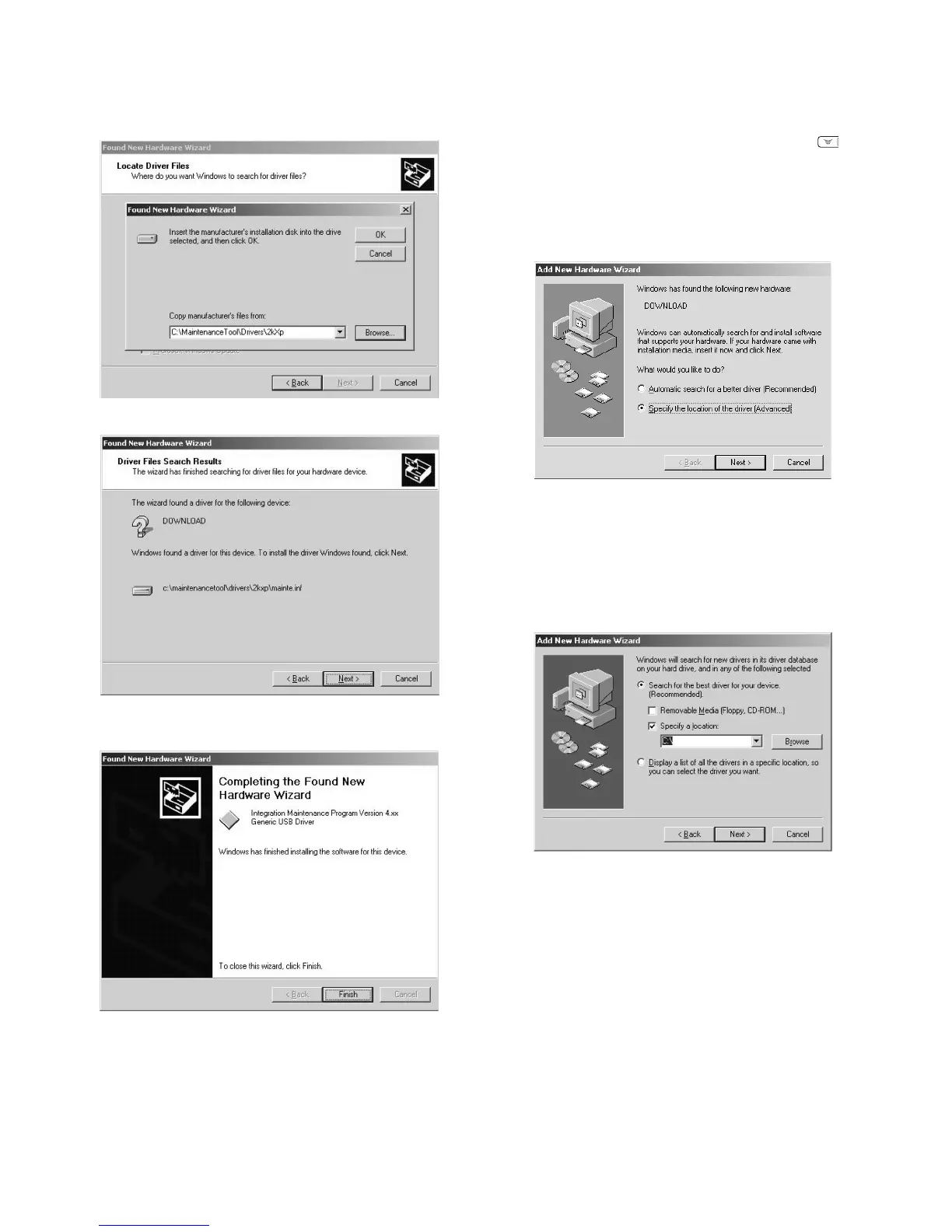
8) Check that the path to the folder which includes the mainte-
nance tool driver (Mainte.inf) is displayed, and press <OK>
button.
(Suppose that the maintenance tool driver is included in
C:\MaintenanceTool\Drivers\2kXp folder.)
9) Press <Next> button to start installation.
10) When the following display is shown, installation is completed.
Press <Finish> button.
11) Restart the PC.
With the above procedures, installation (on Windows 2000) of the
integration maintenance program is completed.
<Installation on Windows Me>
1) Main unit side: Execute simulation No. 49-01 (Flash ROM pro-
gram write mode).
Check that "d" is displayed (or "DOWNLOAD MODE" is dis-
played for the AR-M200/M201) on the operation panel. (Press
and hold [Clear] key and [ZOOM DOWN] key ( ) (or
[ZOOM]/[COPY RATIO] key for the AR-M200/M201) together,
and turn on the power simultaneously.)
2) Connect the machine and the PC with a USB cable.
3) The following display is shown on the PC side.
Select [Specify the location of the driver], and press <Next>
button.
4) Select [Specify a location], specify the folder which includes
the maintenance tool driver (Mainte.inf) as the search location,
and press <Next> button.
If the search location does not include the maintenance tool
driver (Mainte.inf), press <Browse> button to specify the folder
which includes the maintenance tool driver (Mainte.inf).
(Suppose that the maintenance tool driver is included in
C:\MaintenanceTool\Drivers\Win9xMe folder.)



 To Next Page