KEY OPERATOR PROGRAMS
37
CONTENTS INDEX TOP OF CHAPTER
37
USING THE KEY OPERATOR PROGRAMS (1)
Basic procedure for accessing key operator programs
To access the printer key operator programs, follow the
steps below.
1
Press the PRINT key to select the print mode.
zMake sure the PRINT indicator lights up and the
basic screen is displayed in the display.
zIf the DATA indicator is lit or blinking, key operator
programs cannot be accessed. Wait until printing is
complete or cancel printing.
☞
To cancel a print job
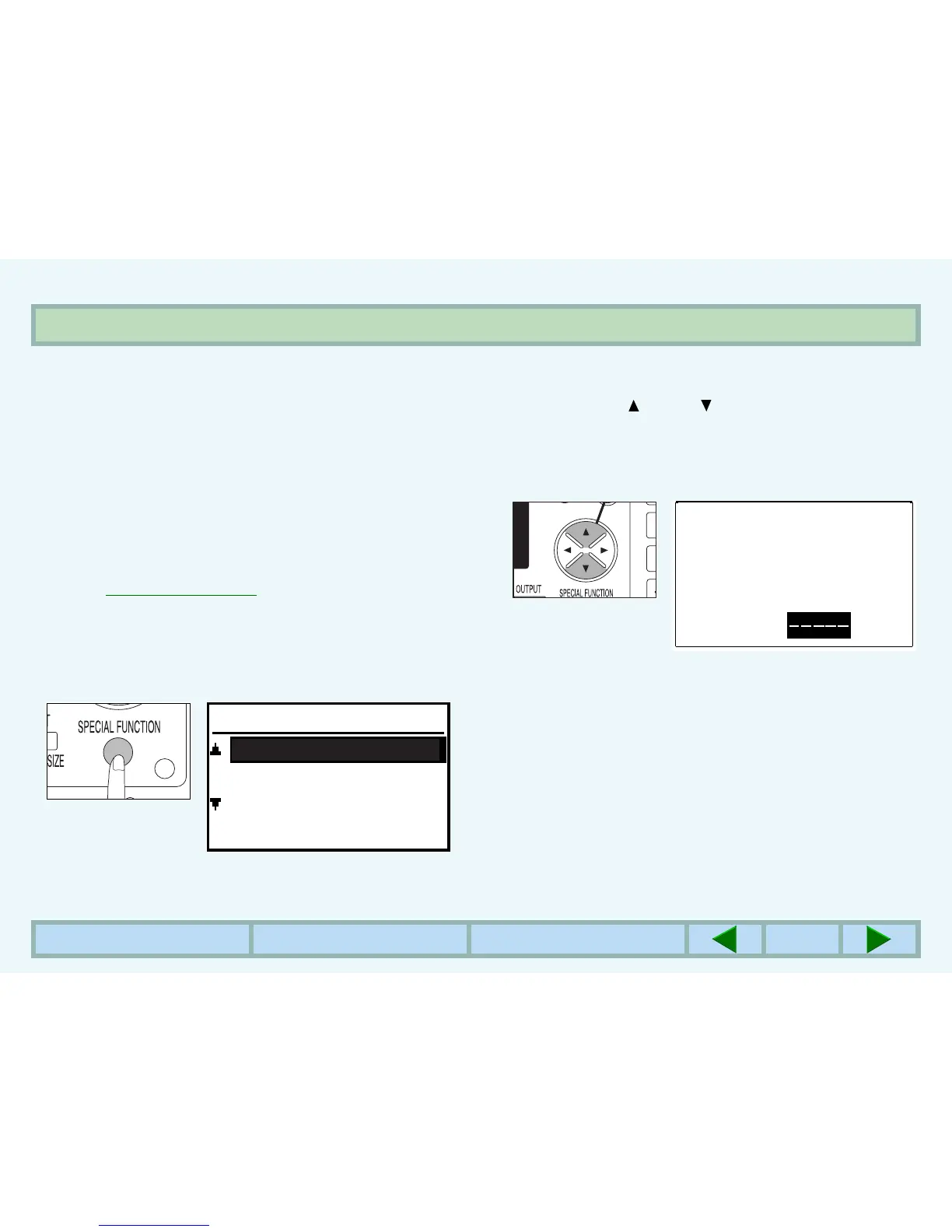
2
Press the SPECIAL FUNCTION key.
zThe following display will appear.
3
Use the and keys to select "KEY
OPERATOR PRG." and press the OK key.
zThe following display will appear.
4
Enter the key operator code number using the
numeric keys.
zThe dashes in the display will change to asterisks.
SPECIAL FUNCTION
DISPLAY CONTRAST
PAPER SIZE SET
KEY OPERATOR PRG.
Enter key operator
code.
KEY OPERATOR CODE:



 To Next Page