SHARING PRINTER
28
CONTENTS INDEX TOP OF CHAPTER
28
CLIENT SETTINGS (1)
Follow the procedure below to install the printer driver in
the client.
1
Click the 'start' button, and click 'Control
Panel'.
2
Click 'Printers and Other Hardware', and click
'Printers and Faxes'.
3
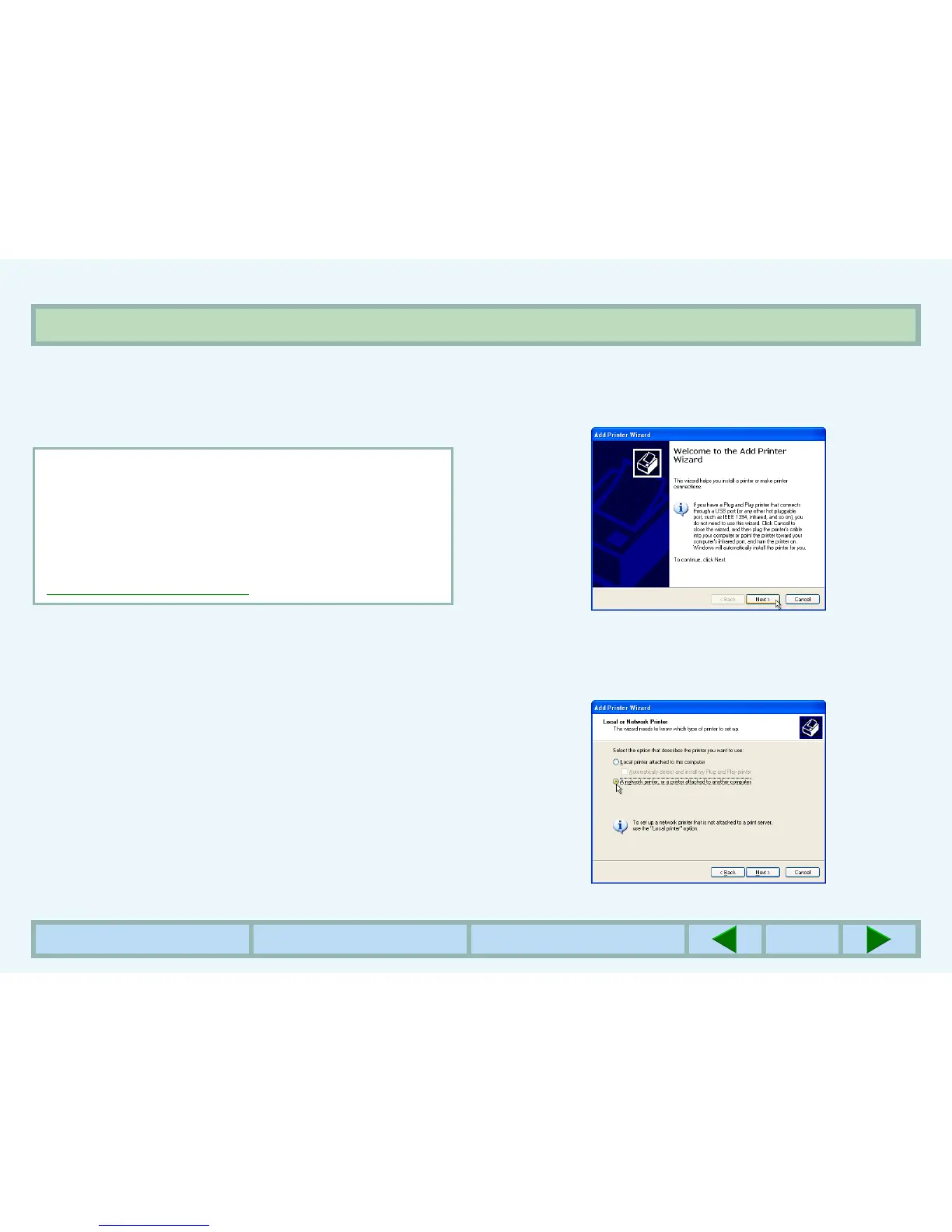
Click 'Add a printer' in 'Printer Tasks'.
zThe "Add Printer Wizard" will appear.
4
Click the 'Next' button.
5
Select
'A network printer, or a printer attached
to another computer', and click the 'Next'
button.
NOTE:
This page provides steps for Windows XP Home Edition
users only. If your operating system is Windows 95/98/
Me/2000/XP Professional, refer to the operation manual
or the help file of your operating system.
If your operating system is Windows NT 4.0, refer to
"Settings in Windows NT 4.0
".



 To Next Page