AR-M236/M276/M237/M277 SIMULATION 8 - 43
Operation/procedure
1. Select the print item with the 10-key.
2. Press the [START] key.
The display is shifted to the copy menu.
3. Select the paper feed tray and the print density.
4. Press the [START] key.
Copying is started.
During execution of copying, the [CUSTOM SETTINGS] key and the
[INTERRUPTION] key are invalid.
* If the IMC board is not installed, the key inputs cannot be made.
Operation/Procedure
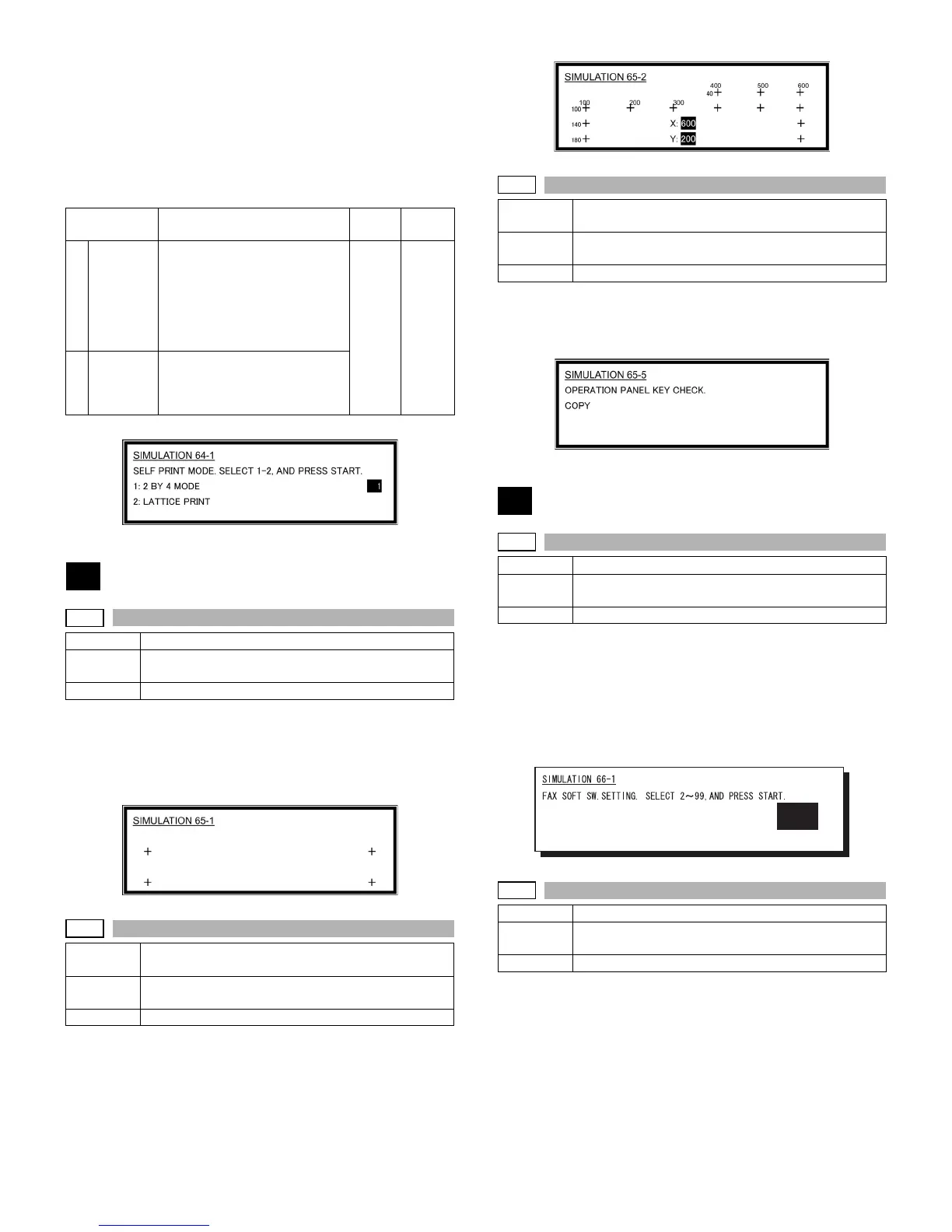
Press the keys displayed on the LCD sequentially.
Adjust the touch panel coordinates.
When the point of "+" on the LCD is pressed, it turns gray. Press all the
four points of "+."
Operation/Procedure
Check the touch panel coordinates.
Press the keys displayed on the LCD sequentially.
When the touch panel is pressed, the X-coordinate and the Y-coordi-
nate (dot conversion values) are displayed.
Operation/procedure
Check the key input of the operation panel.
Press the keys displayed on the LCD sequentially.
After completion of all key entries, "COMPLETE" is displayed.
Operation/procedure
1. Enter the soft SW number to be selected with the 10-key.
2. Check and change the setting content of the selected soft SW.
3. Press the [START] key to save the set content.
The FAX-related soft SW is displayed on the LCD, and changing can
be made by monitoring it.
Note: Executable only when the FAX is installed.
Operation/procedure
1. Enter the country code with the 10-key, and press the [START]
key.
2. When "1: (YES)" is selected, the soft SW corresponding to the
country code is cleared. When "2: (NO)" is selected, the simulation
is canceled.
Item Content
Setting
range
Default
12 BY 4
MODE
Self print is made in 2 by 4 mode
(printing 2 lines and not printing
4 lines). Since scanning is not
performed, when the original is
set on the SPF/RSPF, this
cannot be performed.
* Duplex print cannot be made.
1-2 1
2LATTICE
PRINT
Lattice print (1cm, 1dot width
WLT, A3 print (A3 main scan,
WLT sub scan)) is performed.
* Duplex print can be made.
65
65-1
Purpose Adjustment
Function
(Purpose)
Used to adjust the touch panel (LCD display section)
detection position.
Section Operation (Display, Operation)
65-2
Purpose Adjustment/Setting/Operation data output check
(Display, Print)
Function
(Purpose)
Used to check the touch panel (LCD display section)
detection position adjustment result.
Section Operation (Display, Operation)
65-5
Purpose Adjustment/Setting/Operation data output check
(Display, Print)
Function
(Purpose)
Used to check the key inputs of the operation panel.
Section Operation (screen/operation)
66
66-1
Purpose Setting
Function
(Purpose)
Used to change and check the FAX-related soft SW.
Section FAX
66-2
Purpose Adjustment
Function
(Purpose)
Used to clear the FAX-related soft SW. (Except for the
FAX adjustment values)
Section FAX
1












 To Next Page